




~1 min
Average Reply Time
~1 hour
To Be Matched With A Tutor
1 Trial
75% Find Their Tutor On The 1st Trial
$1
Your First 30 Minutes
Hire The Best QGIS Tutor
Top Tutors, Top Grades. Without The Stress!





Related Subjects
Most students who struggle with QGIS aren’t bad at GIS — they’ve never had someone explain coordinate reference systems or spatial joins in a way that sticks.
QGIS Tutor Online
QGIS is a free, open-source geographic information system application used to create, edit, visualise, and analyse geospatial data. It supports vector and raster formats, spatial queries, and map production across environmental, urban, and engineering contexts.
If you’ve searched for a QGIS tutor near me, you already know the problem: most tutors cover desktop GIS generically, not the specific workflows your course or project requires. MEB provides 1:1 online QGIS tutoring and project help in 2,800+ advanced subjects — matched to your syllabus, your software version, and your deadline. Our Geomatics tutoring network covers the full stack, from coordinate systems to spatial analysis pipelines. One tutor. Your exact problem. No wasted sessions.
- 1:1 online sessions tailored to your course syllabus and QGIS version
- Expert-verified tutors with hands-on GIS and geomatics backgrounds
- Flexible time zones — US, UK, Canada, Australia, Gulf
- Structured learning plan built after a first diagnostic session
- Guided project support — we explain the method, you run the analysis
52,000+ students across the US, UK, Canada, Australia, and the Gulf have used MEB since 2008 — including students in Geomatics subjects like QGIS, GIS, and Remote Sensing.
Source: My Engineering Buddy, 2008–2025.
How Much Does a QGIS Tutor Cost?
QGIS tutoring at MEB starts at $20–$40/hr for most undergraduate and postgraduate levels. Specialist topics — advanced raster analysis, custom plugin development, or Python scripting in PyQGIS — can run up to $100/hr depending on tutor depth and timeline. The $1 trial gets you 30 minutes of live tutoring or one project question explained in full before you commit to anything.
| Level / Need | Typical Rate | What’s Included |
|---|---|---|
| Standard (undergraduate / taught postgrad) | $20–$40/hr | 1:1 sessions, project guidance, workflow walkthroughs |
| Advanced / Specialist (PyQGIS, plugins, research) | $40–$100/hr | Expert tutor, niche workflows, research-level support |
| $1 Trial | $1 flat | 30 min live session or one project question explained fully |
Demand spikes around dissertation submission windows and semester-end project deadlines — tutor slots fill fast during those periods. Book early.
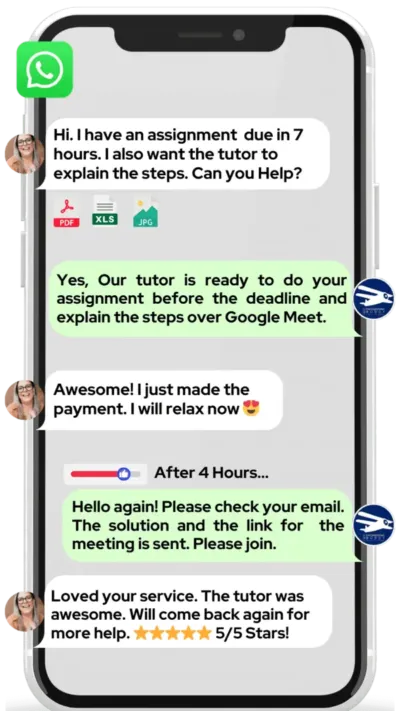
WhatsApp MEB for a quick quote — average response time under 1 minute.
Who This QGIS Tutoring Is For
QGIS draws in students from geography, environmental science, civil engineering, urban planning, and ecology — all using the same software for very different ends. The gaps tend to cluster in the same places: projections, spatial joins, and getting the processing toolbox to do what the tutorial said it would.
- Undergraduate students in geography, environmental science, or engineering with a GIS module they’re behind on
- Postgraduate and research students building spatial analysis workflows for dissertations or thesis chapters
- Students whose conditional university offer depends on passing a geomatics or GIS-heavy programme
- Professionals adding QGIS to their technical skill set for planning, survey, or environmental roles
- Students 4–6 weeks from a project submission with significant methodology gaps still to close
- Parents watching a child’s confidence drop as a GIS assignment deadline approaches
Students at universities including the University of Edinburgh, Utrecht University, University of Melbourne, University of Toronto, and Penn State have used MEB support while working through GIS and geomatics coursework.
At MEB, we’ve found that QGIS struggles almost always come down to one of three things: coordinate reference systems that don’t match, a processing step that silently fails, or a conceptual gap between “I ran the tool” and “I understand what it did.” A tutor catches all three in the first session.
1:1 Tutoring vs Self-Study vs AI vs YouTube vs Online Courses
Self-study works if you have time and a structured dataset to practice on — most students don’t have either. AI tools like ChatGPT explain QGIS concepts quickly but can’t see your layer stack, your CRS mismatch, or why your spatial join returned zero results. YouTube covers the install-and-click basics well; it stops short when your data doesn’t behave like the tutorial’s. Online courses give you a sequence but a fixed pace — no one pauses to fix your specific error. With a 1:1 online QGIS tutor from MEB, the session runs inside your actual project: your data, your error, corrected in real time. That’s the difference in a subject where the tool and the concept both need to make sense together.
Outcomes: What You’ll Be Able To Do in QGIS
After targeted 1:1 QGIS tutoring, students work with confidence in areas that previously stopped them cold. Solve coordinate reference system conflicts and reproject layers correctly for your study region. Analyse vector and raster datasets using QGIS processing algorithms, including buffer, clip, and zonal statistics operations. Model spatial relationships between datasets — land use, elevation, population density — and interpret the outputs meaningfully. Apply spatial joins and attribute table queries to answer research questions without data loss. Present map outputs with properly configured print layouts, scale bars, and legends that meet academic or professional standards.
These aren’t abstract skills. They appear directly in dissertation methodology chapters, GIS module assessments, and professional survey deliverables.
Based on feedback from 40,000+ sessions collected by MEB from 2022 to 2025, 58% of students improved by one full grade after approximately 20 hours of 1:1 tutoring in subjects like QGIS. A further 23% achieved at least a half-grade improvement.
Source: MEB session feedback data, 2022–2025.
Try your first session for $1 — 30 minutes of live 1:1 tutoring or one homework question explained in full. No registration. No commitment. WhatsApp MEB now and get matched within the hour.
What We Cover in QGIS (Syllabus / Topics)

Track 1: Core GIS Concepts and QGIS Interface
- Coordinate reference systems (CRS): geographic vs projected, EPSG codes, reprojection
- Vector data: points, lines, polygons — creation, editing, and attribute management
- Raster data: importing, styling, band combinations, and basic analysis
- Layer management, symbology, and classification schemes
- Spatial queries: select by location, select by expression, field calculator
- Map composition: print layout, scale bar, north arrow, legend, export to PDF
- Working with OpenStreetMap, GADM, and other open data sources in QGIS
Recommended references: QGIS Map Design (Graser & Peterson), Learning QGIS (Duckham et al.), and the official edX engineering and geospatial courses for supplementary context.
Track 2: Spatial Analysis and the Processing Toolbox
- Buffer, dissolve, clip, union, and intersection operations
- Spatial joins: one-to-one and one-to-many, handling NULL results
- Zonal statistics: summarising raster values within polygon boundaries
- Interpolation methods: IDW, kriging, and TIN in QGIS
- Viewshed and terrain analysis using DEM data
- Network analysis: shortest path and service area using QNEAT3
- Batch processing and model builder (Graphical Modeler)
Key texts: GIS and the Social Sciences (Sinclair et al.), An Introduction to R for Spatial Analysis and Mapping (Brunsdon & Comber) as a companion for analysis logic, and QGIS official documentation.
Track 3: Advanced Workflows and PyQGIS
- Python scripting in QGIS: the PyQGIS API, running scripts in the console
- Automating repetitive tasks with custom processing scripts
- Plugin development: structure, metadata, and deploying to the QGIS plugin repository
- Integrating QGIS with PostGIS and spatial databases
- Working with LiDAR point cloud data in QGIS and related tools — students also often need LiDAR tutoring alongside this track
- Web mapping export: generating map tiles and publishing via QGIS2Web
Recommended: PyQGIS Developer Cookbook (QGIS Documentation Project), QGIS Python Programming Cookbook (Lawhead).
What a Typical QGIS Session Looks Like
The tutor opens by checking what happened since the last session — usually a spatial join or CRS reprojection that didn’t behave as expected. You share your screen directly in Google Meet, and the tutor works through the issue with you: not by fixing it for you, but by walking the logic out loud. If your buffer result is returning unexpected geometry, the tutor isolates whether it’s the input CRS, the distance unit setting, or a topology error — and shows you how to diagnose it yourself next time. You replicate the corrected workflow. The tutor watches and corrects in real time using a digital pen-pad to annotate over your screen. The session closes with a specific task: finish the zonal statistics step on your study area and note any NULL outputs for next time. The next topic — likely a print layout or attribute table export — is confirmed before you close the call.
How MEB Tutors Help You with QGIS (The Learning Loop)
Diagnose: In the first session, the tutor identifies exactly where your workflow is breaking down — whether that’s a CRS mismatch causing incorrect area calculations, a processing step producing empty outputs, or a conceptual gap between what a spatial join does and what your data actually requires.
Explain: The tutor works through a live example using your own dataset where possible. Complex operations — like kriging interpolation or building a graphical model — are broken into steps on the digital pen-pad so you see the logic before you run the tool.
Practice: You attempt the next step while the tutor watches. This is where most gaps surface. It’s one thing to watch a buffer operation; it’s another to set the correct distance unit for your projected CRS without prompting.
Feedback: Errors are corrected immediately with an explanation of why the step failed — not just how to fix it. That distinction matters for project write-ups, where you need to describe your methodology accurately.
Plan: Each session ends with a clear next step and a topic sequence mapped to your project deadline or assessment date. The tutor adjusts pace based on what you’ve retained, not a fixed schedule.
Sessions run over Google Meet with screen sharing. The tutor uses a digital pen-pad or iPad with Apple Pencil to annotate directly. Before your first session, have your QGIS version noted, your dataset or project brief ready to share, and a specific task or error you want to resolve. Start with the $1 trial — 30 minutes of live tutoring that also serves as your first diagnostic.
Students consistently tell us that the moment things click in QGIS is when they stop following steps and start understanding what each tool is actually doing to their data. That shift usually happens in the third or fourth session — sometimes earlier with a good diagnostic in the first.
Tutor Match Criteria (How We Pick Your Tutor)
Not every GIS expert knows QGIS at depth — and not every QGIS user knows the specific workflow your course requires. Here’s how MEB matches:
Subject depth: Tutors are matched to your specific track — core GIS, spatial analysis, or PyQGIS scripting. A dissertation student needing PostGIS integration gets a different tutor than an undergraduate mapping for the first time.
Tools: All tutors work over Google Meet with screen sharing and use a digital pen-pad or iPad with Apple Pencil for live annotation.
Time zone: Matched to your region — US, UK, Gulf, Canada, Australia — so sessions run at reasonable hours without early-morning compromises.
Goals: Whether you need to pass a module, complete a dissertation spatial analysis, or build a professional GIS portfolio, the tutor is briefed on your specific goal before session one.
Unlike platforms where you fill out a form and wait, MEB responds in under a minute, 24/7. Tutor match takes under an hour. The $1 trial means you test before you commit. Everything runs over WhatsApp — no logins, no intake forms.
Pricing Guide
QGIS tutoring starts at $20/hr for standard undergraduate modules and rises to $40/hr for postgraduate coursework and research-level support. PyQGIS scripting, plugin development, and PostGIS integration projects — where tutor expertise is genuinely specialist — can reach $100/hr. Rate factors include topic complexity, your timeline, and tutor availability.
Tutor availability tightens during dissertation submission season and semester-end project deadlines. If your deadline is within three weeks, book as early as possible.
For students targeting roles at environmental consultancies, urban planning agencies, or research institutions where QGIS expertise is a hiring criterion, tutors with professional GIS backgrounds are available at higher rates — share your specific goal and MEB will match the tier to your ambition.
Start with the $1 trial — 30 minutes, no registration, no commitment. WhatsApp MEB for a quick quote.
FAQ
Is QGIS hard to learn?
QGIS has a steeper learning curve than many expect — especially around coordinate reference systems and the processing toolbox. Most students can get to a functional level within 10–15 hours of guided 1:1 QGIS tutoring. The open-source nature means fewer polished tutorials than commercial GIS software, which makes a tutor more valuable here, not less.
How many sessions will I need?
For a single project module or dissertation GIS chapter, most students need 6–12 sessions depending on their starting point. Students building from zero for a full semester course typically work with a tutor across 15–20 hours. The first diagnostic session gives the tutor enough information to estimate a realistic number for your specific situation.
Can you help with QGIS projects and portfolio work?
MEB tutoring is guided learning — the tutor explains the method, walks through the logic, and helps you understand why each step works. You run the analysis and produce the outputs yourself. See our Academic Integrity policy and Why MEB page for full details on what we help with and what we don’t.
Will the tutor match my exact syllabus or course requirements?
Yes. When you contact MEB, share your course outline, university, and the specific QGIS version your department uses. Tutors are matched to your exact requirements — not assigned generically. If your course uses a specific dataset format or processing plugin, flag that upfront.
What happens in the first session?
The first session is a diagnostic. The tutor identifies your current knowledge level, finds the specific gaps causing problems, and maps a session plan to your deadline. If you have a project brief or a QGIS error you can’t resolve, bring it — the diagnostic is most useful when it works on your real material.
Is online QGIS tutoring as effective as in-person?
For a software-based subject like QGIS, online tutoring is often more effective. The tutor sees your exact screen, your data, and your error in real time. Screen sharing over Google Meet replicates the in-person experience closely — and removes the constraint of finding a local GIS specialist.
QGIS vs ArcGIS — can your tutors help with both?
Yes. Many students work across both platforms. MEB has tutors for QGIS and for ArcGIS and ArcGIS Pro — if your course or employer uses one or both, MEB can match accordingly. The core spatial analysis logic transfers; the interface and toolbox differ significantly.
Can I get QGIS help at midnight or on weekends?
Yes. MEB operates 24/7 across time zones. Tutors are available in the US, UK, Gulf, and Australia time zones, which means midnight in one region is a working hour in another. WhatsApp response time is typically under a minute regardless of when you message.
Do you help with PyQGIS and Python scripting within QGIS?
Yes — PyQGIS is one of the most requested advanced tracks. Tutors cover the PyQGIS API, scripting in the QGIS Python console, automating layer operations, and custom plugin development. This is specialist territory; the tutor matched to PyQGIS work has scripting experience alongside GIS knowledge.
What if I don’t get on with my assigned tutor?
Contact MEB on WhatsApp and a replacement is arranged. Most students don’t need to — the diagnostic process and matching criteria reduce mismatch significantly. But if the fit isn’t right after the first session, the process to reassign is fast and uncomplicated.
How do I get started?
Three steps: WhatsApp MEB, share your course details and current QGIS challenge, get matched with a verified tutor — usually within an hour. Your first session is the $1 trial: 30 minutes of live tutoring or one project problem explained in full. No registration. No commitment required beyond that.
What’s the difference between QGIS and a full GIS degree module — and can tutors help with both?
QGIS is the software tool; the GIS module covers broader spatial analysis theory, data models, and methodology alongside it. MEB tutors handle both the software side — getting QGIS to work — and the conceptual side, including GIS tutoring for theory-heavy assessments. Most students need both in the same course.
Trust & Quality at My Engineering Buddy
Every QGIS tutor on the MEB platform goes through a subject-specific screening process: application review, live demo session evaluation, and ongoing student feedback monitoring. Tutors hold degrees in geography, geomatics, civil engineering, or related fields — and many have professional GIS experience in planning, environmental consulting, or survey. Rated 4.8/5 across 40,000+ verified reviews on Google, MEB has been matching students with specialist tutors since 2008.
MEB tutoring is guided learning — you understand the work, then submit it yourself. For full details on what we help with and what we don’t, read our Academic Integrity policy and Why MEB.
MEB serves students across the US, UK, Canada, Australia, Gulf, and Europe in 2,800+ subjects — from Geomatics and Geodesy tutoring through to Photogrammetry help and advanced spatial analysis. The platform’s tutoring methodology is built on diagnostic-first sessions, structured feedback loops, and tutor matching by subject depth — not by availability alone.
Our experience across thousands of sessions shows that students who bring a real error or a current project to their first QGIS session make faster progress than those who start with abstract exercises. The diagnostic is most useful when it works on material that matters to you right now.
Explore Related Subjects
Students studying QGIS often also need support in:
- Geomatics
- LiDAR
- ArcGIS and ArcGIS Pro
- Remote Sensing
- Photogrammetry
- Geodesy
- Geographic Information System (GIS)
Next Steps
Getting started takes under two minutes. Before your first session, have ready:
- Your course outline or project brief, and the QGIS version your department uses
- A specific error, dataset, or workflow step you’re stuck on
- Your submission or exam date and your available time zones for sessions
MEB matches you with a verified QGIS tutor — usually within 24 hours, often faster. The first session opens with a diagnostic so every minute is used on something that matters to your actual work. Visit www.myengineeringbuddy.com for more on how MEB works.
WhatsApp to get started or email [email protected].
52,000+ Happy Students From Various Universities






Reviewed by Subject Expert
This page has been carefully reviewed and validated by our subject expert to ensure accuracy and relevance.