




~1 min
Average Reply Time
~1 hour
To Be Matched With A Tutor
1 Trial
75% Find Their Tutor On The 1st Trial
$1
Your First 30 Minutes
Hire The Best Microsoft Project Tutor
Top Tutors, Top Grades. Without The Stress!





Related Subjects
Your Gantt chart is broken, your critical path is wrong, and your submission is in three days. A Microsoft Project tutor online fixes that — fast.
Microsoft Project Tutor Online
Microsoft Project is a project management software tool by Microsoft used to plan, schedule, and track tasks, resources, and budgets. It equips users to build Gantt charts, define critical paths, and manage project timelines.
MEB provides 1:1 online tutoring and project help in 2,800+ advanced subjects — including Microsoft Project, one of the most tested tools in civil engineering courses and construction management programmes. Search for a Microsoft Project tutor near me and you’ll find generic results. MEB matches you with a tutor who knows your exact software version, your course requirements, and the specific deliverable you’re working toward.
- 1:1 online sessions tailored to your course or project brief
- Expert-verified tutors with hands-on Microsoft Project experience
- Flexible time zones — US, UK, Canada, Australia, Gulf
- Structured learning plan built after a diagnostic session
- Guided project support — we explain every step, you build it yourself
52,000+ students across the US, UK, Canada, Australia, and the Gulf have used MEB since 2008 — including students working on civil engineering software tools like Microsoft Project, Primavera P6, and BIM 360.
Source: My Engineering Buddy, 2008–2025.
How Much Does a Microsoft Project Tutor Cost?
Rates run $20–$40/hr for most undergraduate and postgraduate-level sessions. Specialist or advanced scheduling tutors — covering Earned Value Management or multi-project resource levelling — go up to $100/hr. Start with the $1 trial: 30 minutes of live 1:1 tutoring or one full project question explained.
| Level / Need | Typical Rate | What’s Included |
|---|---|---|
| Standard (most course levels) | $20–$35/hr | 1:1 sessions, scheduling guidance, Gantt/CPM help |
| Advanced / Specialist | $35–$100/hr | EVM, resource levelling, multi-project environments |
| $1 Trial | $1 flat | 30 min live session or one full project question explained |
Tutor availability tightens significantly around semester-end submission deadlines and PMP exam windows. Book early if your deadline is within four weeks.
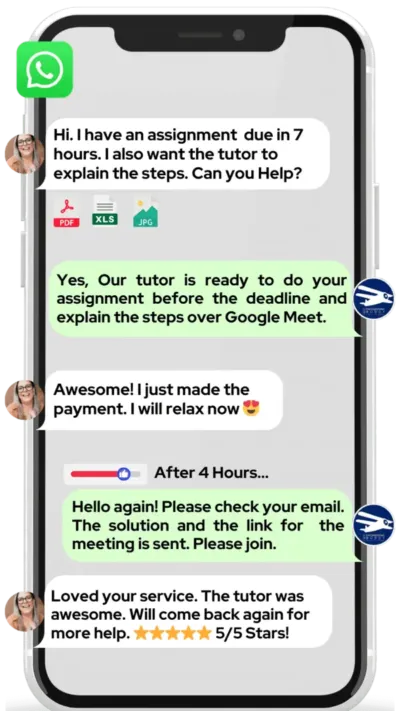
WhatsApp MEB for a quick quote — average response time under 1 minute.
Who This Microsoft Project Tutoring Is For
Most students who come to MEB aren’t beginners who’ve never opened the software. They’re students who’ve been using it for weeks and hit a wall — a baseline that won’t calculate correctly, a resource conflict they can’t resolve, or a critical path that makes no logical sense.
- Undergraduate and postgraduate civil engineering, construction management, or project management students with a graded software assignment due
- Students who failed or underperformed on a previous Microsoft Project submission and are retaking the module
- Students with a conditional offer from universities like Georgia Tech, UCL, University of Melbourne, ETH Zurich, or Delft — where project management proficiency is assessed directly
- Students 4–6 weeks from a PMP or CAPM exam who need to close gaps in scheduling tool use
- Working professionals enrolled in part-time programmes at institutions like MIT Sloan, Cranfield, or the University of Toronto who need project help on a tight schedule
- Parents watching a student’s confidence drop as submission deadlines stack up alongside exam pressure
You don’t need to already be good at Microsoft Project. You need a tutor who can show you exactly what’s wrong and why — so the next file you build, you build correctly.
At MEB, we’ve found that most Microsoft Project errors aren’t software problems — they’re logic problems. Students set up task dependencies incorrectly, and the Gantt chart reflects that. Fixing the logic fixes the chart. That’s usually where the first session starts.
1:1 Tutoring vs Self-Study vs AI vs YouTube vs Online Courses
Self-study works if you’re disciplined, but Microsoft Project has no feedback loop — you won’t know your baseline is wrong until the tutor spots it. AI tools explain concepts quickly but can’t see your actual project file or diagnose why your critical path is miscalculated. YouTube covers the basics well — it stops the moment your specific scheduling conflict appears. Online courses are structured but locked to a fixed pace, with no one to ask when something doesn’t apply to your assignment. One-to-one tutoring with MEB is live, calibrated to your exact file and course brief, and corrects errors in real time — specifically for Microsoft Project’s scheduling engine, resource calendar, and reporting outputs.
Outcomes: What You’ll Be Able To Do in Microsoft Project
After working with an MEB Microsoft Project tutor online, you’ll be able to build a complete project schedule from a work breakdown structure, apply Finish-to-Start and Lag/Lead dependencies without breaking the critical path, analyse float and identify true critical tasks in a multi-phase build programme, model resource allocation across calendars and resolve over-allocation conflicts without manual workarounds, and present a Baseline vs Actual tracking report your supervisor or examiner can actually read.
Based on feedback from 40,000+ sessions collected by MEB from 2022 to 2025, 58% of students improved by one full grade after approximately 20 hours of 1:1 tutoring in subjects like Microsoft Project. A further 23% achieved at least a half-grade improvement.
Source: MEB session feedback data, 2022–2025.
Try your first session for $1 — 30 minutes of live 1:1 tutoring or one homework question explained in full. No registration. No commitment. WhatsApp MEB now and get matched within the hour.
What We Cover in Microsoft Project (Syllabus / Topics)

Track 1: Project Scheduling Fundamentals
- Creating a Work Breakdown Structure (WBS) and entering task lists
- Setting task durations, start dates, and dependencies (FS, FF, SS, SF)
- Building and reading Gantt charts correctly
- Identifying the critical path using the Network Diagram view
- Adding lag and lead time to dependencies
- Setting and tracking baselines (Baseline vs Actual comparison)
- Using milestones and summary tasks
Recommended references: Microsoft Project 2019 Step by Step (Carl Chatfield & Timothy Johnson); A Guide to the Project Management Body of Knowledge (PMBOK Guide, PMI).
Track 2: Resource Management and Cost Control
- Adding work, material, and cost resources to the Resource Sheet
- Assigning resources to tasks and reading the Resource Usage view
- Resolving over-allocation using levelling tools and manual adjustment
- Setting resource calendars and availability windows
- Tracking actual vs planned costs with budget resources
- Earned Value Management (EVM): SPI, CPI, EAC calculations within Microsoft Project
Recommended references: Project Management: A Systems Approach to Planning, Scheduling, and Controlling (Kerzner); Earned Value Project Management (Fleming & Koppelman).
Track 3: Reporting, Export, and Integration
- Generating visual reports (dashboards, resource overview, cost overview)
- Customising views and tables for assignment-specific outputs
- Exporting project data to Excel for further analysis
- Linking Microsoft Project with Autodesk InfraWorks and other civil engineering workflows
- Comparing Microsoft Project against Primavera P6 for large infrastructure projects
- Sharing and publishing project files via Microsoft 365 / Project Online
Recommended references: Microsoft Project 2021 & 365 — A Comprehensive Guide (Newell); official Microsoft Project documentation (Microsoft Learn).
Platforms, Tools & Textbooks We Support
Microsoft Project tutoring at MEB covers all desktop and cloud versions: Microsoft Project Standard, Professional, and Project Online (Microsoft 365). Tutors also support integration workflows with Excel, SharePoint, and Power BI for reporting. Where students use companion tools for civil or structural project scheduling — such as Bluebeam for markup review or estimation and costing tools — tutors can bridge across both environments.
- Microsoft Project Standard 2016, 2019, 2021
- Microsoft Project Professional (desktop)
- Microsoft Project Online / Project for the Web (Microsoft 365)
- Microsoft Excel (for export and EVM modelling)
- Power BI (for dashboard and reporting integration)
- SharePoint (for team project publishing)
What a Typical Microsoft Project Session Looks Like
The tutor opens by checking the task you worked on previously — usually critical path logic or resource assignment. You share your project file on screen. The tutor works through the scheduling error with you — for example, why a Finish-to-Start dependency with lag is pushing your project end date out further than it should, or why your resource is showing as over-allocated even after manual adjustment. The tutor uses a digital pen-pad to annotate the logic directly on screen. You replicate the fix in your own file and explain your reasoning back. The session closes with one concrete task — rebuild the baseline or run the resource levelling report — and the next topic noted: typically EVM tracking or report customisation.
How MEB Tutors Help You with Microsoft Project (The Learning Loop)
Diagnose: In the first session the tutor reviews your project file directly — not a generic exercise. They identify whether the core issue is dependency logic, resource setup, calendar errors, or a fundamental misunderstanding of how Microsoft Project calculates float.
Explain: The tutor works through live examples using your actual file, annotating steps with a digital pen-pad or iPad and Apple Pencil so you can see exactly what changes and why. No slide decks. No pre-recorded walkthroughs.
Practice: You attempt the next section — adding a new phase, resolving an over-allocation, or setting a tracking baseline — with the tutor present. If you go wrong, the correction happens immediately.
Feedback: The tutor explains precisely why a step was incorrect and what the examiner or supervisor would flag. For graded assignments, this means understanding how marks are allocated for schedule logic, not just for a presentable Gantt chart.
Plan: At the end of each session the tutor sets the next milestone — which view to master, which report to generate, or which EVM metric to calculate — so the following session starts with verified progress rather than repeated ground.
Sessions run on Google Meet. The tutor uses a digital pen-pad or iPad with Apple Pencil. Before your first session, share your project file or assignment brief, your course outline, and your submission deadline. The first session starts with a diagnostic review of your current file and closes with a prioritised fix list. Start with the $1 trial — 30 minutes of live tutoring that also serves as your first diagnostic.
Students working with MEB on Microsoft Project consistently say the first session alone corrects errors they’d been repeating for weeks — particularly around critical path miscalculation and resource over-allocation that no YouTube tutorial had resolved.
Source: MEB session feedback summary, 2022–2025.
Students consistently tell us that the moment they understand why Microsoft Project calculates float the way it does — rather than just clicking through the interface — everything else in the software starts to make sense. That conceptual shift usually happens in session two or three.
Tutor Match Criteria (How We Pick Your Tutor)
Not every project management tutor is matched to every student. Here’s what MEB checks before the match is made.
Subject depth: The tutor must have direct experience with Microsoft Project at the level you’re working — undergraduate assignment, postgraduate module, or PMP/CAPM exam preparation — not just general project management knowledge.
Tools: Every tutor uses Google Meet with a digital pen-pad or iPad and Apple Pencil. File sharing is live, not pre-recorded.
Time zone: Matched to your region — US Eastern through Gulf Standard Time, UK, Canada, and Australia all covered.
Goals: Whether you need a specific file fixed before a deadline, conceptual depth on EVM, or structured exam prep, the tutor is matched to that goal — not assigned randomly from a pool.
Unlike platforms where you fill out a form and wait, MEB responds in under a minute, 24/7. Tutor match takes under an hour. The $1 trial means you test the tutor before you commit. Everything runs over WhatsApp — no logins, no intake forms.
Study Plans (Pick One That Matches Your Goal)
Catch-up (1–3 weeks): for students with a submission or exam in under three weeks and identifiable gaps — dependency logic, EVM, or reporting. Intensive sessions, prioritised by what the marking scheme actually tests. Exam prep (4–8 weeks): structured revision across all Microsoft Project modules, aligned to your course schedule or PMP exam date. Weekly support: ongoing sessions tied to semester deadlines and assignment release dates. The tutor maps the exact session sequence after the diagnostic — you don’t need to arrive with a plan.
Pricing Guide
Microsoft Project tutoring runs $20–$40/hr for most undergraduate and taught postgraduate modules. For advanced work — EVM analysis, multi-project resource environments, or PMP exam prep with a tutor holding professional certification — rates go up to $100/hr.
Rate factors include topic complexity, your timeline, and tutor availability. Availability tightens around semester-end and PMP exam windows — if your deadline is within four weeks, don’t wait.
For students targeting roles at top engineering consultancies or pursuing PMI certification, tutors with professional construction and infrastructure backgrounds are available at higher rates — share your specific goal and MEB will match the tier to your ambition.
Start with the $1 trial — 30 minutes, no registration, no commitment. WhatsApp MEB for a quick quote.
FAQ
Is Microsoft Project hard to learn?
The interface is straightforward. The difficulty is logic — understanding how dependencies, resource calendars, and float calculations interact. Most students struggle not with clicking buttons but with building a schedule that actually reflects project reality. A tutor cuts through that quickly.
How many sessions are typically needed?
For a single assignment fix: 2–3 sessions. For full software competence across scheduling, resource management, and EVM reporting: 8–12 sessions over 4–6 weeks. The diagnostic session gives a more precise estimate based on your current file and deadline.
Can you help with projects and portfolio work?
MEB provides guided support — the tutor explains the logic, you build the file and submit it yourself. This covers project files, scheduling assignments, EVM calculations, and reporting outputs. See our Academic Integrity policy and Why MEB page for full details on what we help with and what we don’t.
Will the tutor match my exact syllabus or course requirements?
Yes. Share your course outline or assignment brief before the first session. The tutor reviews it and aligns the session to exactly what your examiner or supervisor expects — not a generic Microsoft Project walkthrough.
What happens in the first session?
The tutor reviews your current project file or starts from a blank file if you’re at the beginning. They identify the core gap, fix one concrete issue live, and close with a prioritised task list for before the next session. It doubles as your diagnostic.
Is online tutoring as effective as in-person for software like Microsoft Project?
More so, in many cases. Screen sharing means the tutor sees your exact file — not a printed screenshot. The pen-pad annotation happens directly on your work. There’s no whiteboard abstraction between the explanation and the thing you’re actually trying to fix.
Can I get Microsoft Project help at midnight or over the weekend?
Yes. MEB operates 24/7 across time zones. WhatsApp the team at any hour — average response time is under a minute. Weekend and late-night sessions are available across US, UK, Gulf, and Australian time zones.
What’s the difference between Microsoft Project and Primavera P6 — and which should I learn?
Microsoft Project suits academic courses, smaller construction programmes, and most PMP exam contexts. Primavera P6 tutoring is better for large infrastructure projects and contractor environments. Your course brief or job description will usually specify which. MEB tutors cover both.
Do you offer group Microsoft Project sessions?
No. All MEB sessions are 1:1. Group sessions dilute the diagnostic process — the tutor can’t calibrate to your specific file and gaps in a shared session. Every student’s scheduling errors are different, and the fix needs to be specific.
Can a Microsoft Project tutor help with PMP or CAPM exam preparation?
Yes — specifically the scheduling and resource management components of the PMI exam that require Microsoft Project tool knowledge. For the full PMP exam curriculum beyond software use, share your study plan and MEB will match a tutor with PMI certification experience.
How do I get started?
WhatsApp MEB, share your course outline or project file, and you’re matched with a verified tutor — usually within the hour. The first session is the $1 trial: 30 minutes of live tutoring or one full question explained. Three steps: WhatsApp, match, start.
What if the assigned tutor doesn’t fit my working style?
Tell MEB on WhatsApp. A replacement match happens within hours — no forms, no escalation process. The $1 trial exists precisely so you can test the fit before committing to a full session block.
Trust & Quality at My Engineering Buddy
Every MEB tutor goes through subject-specific screening — not just a CV review. Candidates complete a live demo session evaluated against a technical rubric for their subject. For Microsoft Project, that means demonstrating correct scheduling logic, resource management, and EVM calculation — not just familiarity with the interface. Ongoing session feedback is reviewed, and tutors with consistently low ratings are removed. Rated 4.8/5 across 40,000+ verified reviews on Google. MEB has been running since 2008 and has served 52,000+ students across the US, UK, Canada, Australia, Gulf, and Europe. Read more about how tutors are selected at MEB’s tutoring methodology page.
MEB provides guided learning support. All project work is produced and submitted by the student. For full details on what we help with and what we don’t, read our Academic Integrity policy and Why MEB.
MEB covers 2,800+ subjects — from structural engineering tutoring and quantity surveying help to geotechnical engineering tutoring and project management tools like Microsoft Project. The platform is trusted by students in civil engineering and construction management programmes at universities across four continents.
MEB has operated since 2008 — before most current tutoring platforms existed. The 18-year record across 52,000+ students, maintained without a single rebrand or ownership change, is the clearest signal of what the platform actually delivers.
Source: My Engineering Buddy, 2008–2025.
Our experience across thousands of sessions shows that students who share their actual project file before the first session make faster progress than those who describe the problem verbally. The file tells the tutor exactly where the scheduling logic broke down — faster than any description can.
Explore Related Subjects
Students studying Microsoft Project often also need support in:
- Facilities Engineering
- Feasibility Study
- Contract Law
- Energy Management
- Sustainable Design and Development
- Real Estate Valuation
- Highway Design
Next Steps
Getting started takes under two minutes.
- Share your course outline, assignment brief, or project file — and your exam or submission deadline
- Share your availability and time zone
- MEB matches you with a verified Microsoft Project tutor — usually within the hour
Before your first session, have ready: your course brief or syllabus, a recent project file or scheduling task you’ve struggled with, and your deadline date. The tutor handles the rest.
Visit www.myengineeringbuddy.com for more on how MEB works.
WhatsApp to get started or email [email protected].
52,000+ Happy Students From Various Universities





Reviewed by Subject Expert
This page has been carefully reviewed and validated by our subject expert to ensure accuracy and relevance.