
Canvas LMS Review: Features, Pricing, and Alternatives in 2026

- Canvas LMS is used by over 4,000 institutions and approximately 28 million users worldwide.
- Individual teachers can access Canvas for free; institutions pay custom per-student pricing.
- Canvas scores 4.4/5 on G2 and 4.5/5 on Capterra from thousands of educational users.
- Hidden costs include implementation fees, add-on subscriptions, and data migration expenses.
- Open-source alternatives like Moodle offer more customization but require greater technical expertise.
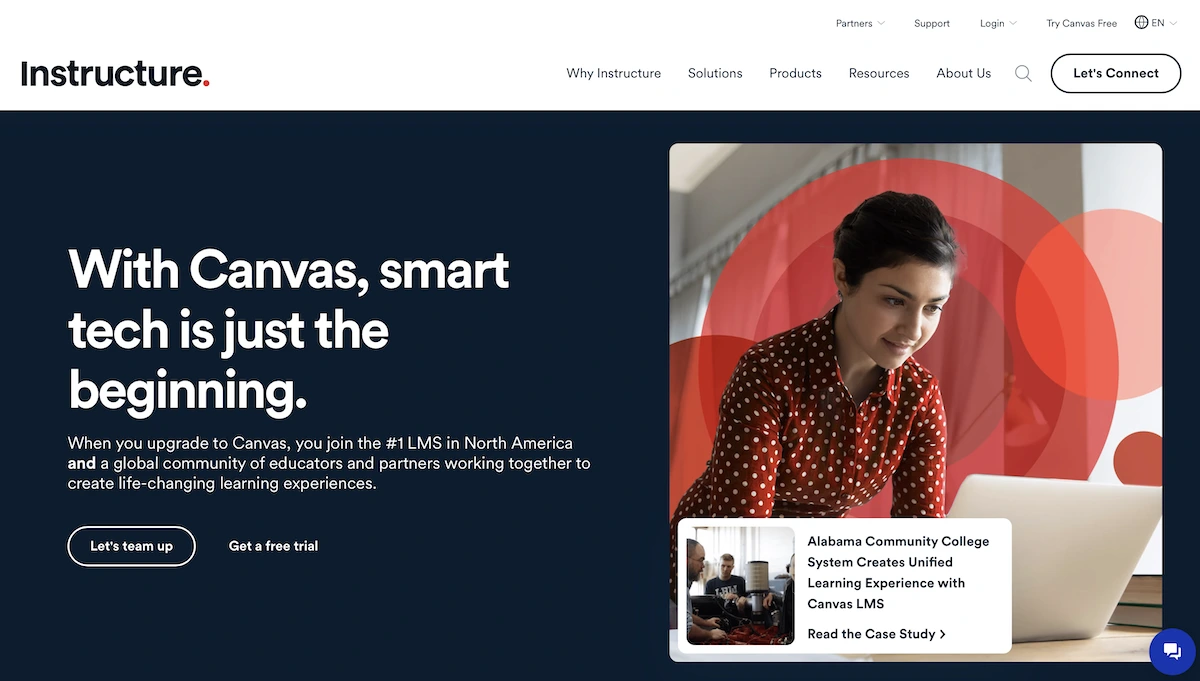 Understanding Canvas and its alternatives is essential for institutions and educators evaluating LMS solutions. This guide provides comprehensive insights to help you make informed decisions when choosing a platform for your educational needs. Students who find their coursework challenging alongside an LMS may benefit from working with a computer science tutor for targeted one-on-one support.To give you an immediate snapshot of how the platform performs in the real world, we’ve aggregated data from major review sites. The dashboard below highlights the current trust scores from thousands of users.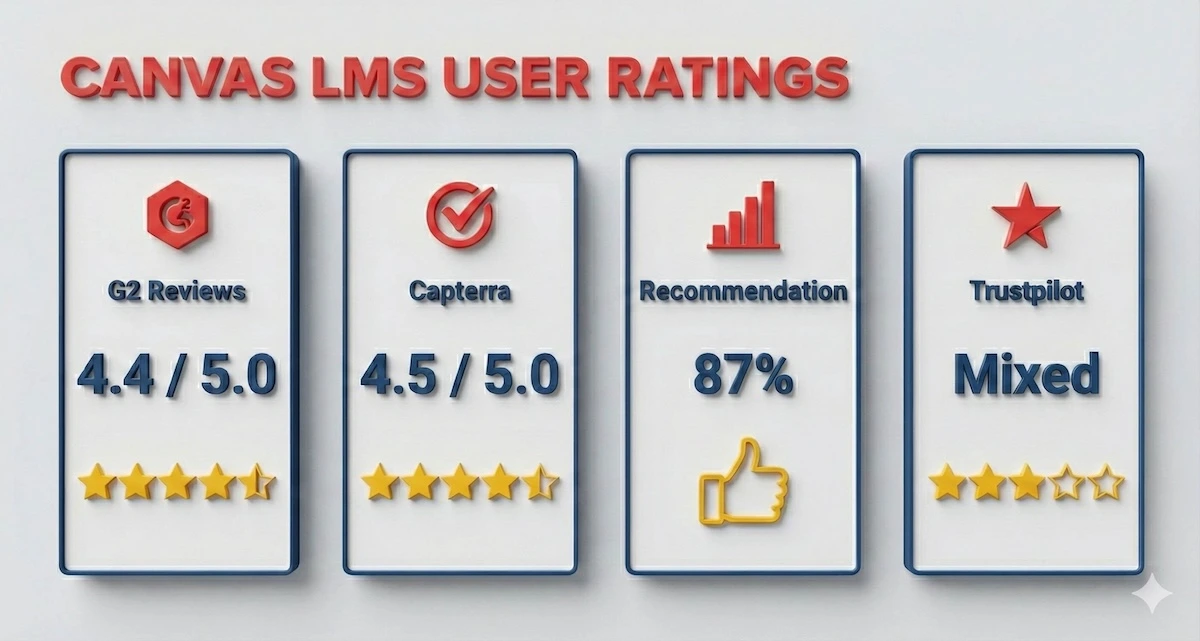
User reviews across major platforms consistently rate Canvas highly for usability, though some security concerns exist.
Canvas Reviews and Testimonials
G2 Reviews – Canvas maintains a rating of 4.4 out of 5 on G2 based on 1,809 reviews. Users consistently praise Canvas for its ease of use and intuitive interface. Common positive themes include the user-friendly dashboard, streamlined assignment submission process, and effective SpeedGrader feature for quick grading. However, some users report concerns about limited customization options, navigation complexity, and steep learning curves for advanced features. Many educators appreciate the mobile app accessibility, while others mention slow support responses to technical issues.Capterra Reviews – Canvas scores 4.5 out of 5 on Capterra from thousands of educational users. Users highlight the comprehensive course management tools and mobile functionality as major strengths. Students and instructors value the organized layout for tracking assignments and deadlines. Common criticisms include the gradebook’s complexity and limited reporting flexibility. Educators note that Canvas works better for large-scale institutional use than for small independent course creators.SoftwareReviews.com – Canvas achieves an 87 Likeliness to Recommend score with 94% Plan to Renew rate and 83% Satisfaction of Cost Relative to Value. The platform shows a +88 Net Emotional Footprint, indicating strong user satisfaction. Users describe Canvas as reliable, fair, and respectful, with continuous product improvements. The platform enables productivity and inspires innovation among educators.Trustpilot Reviews – Canvas has a mixed presence on Trustpilot with 3 stars from 26 reviews. While some users praise the platform’s user-friendly design and functionality, others raise concerns about security vulnerabilities. Notable complaints include security issues where student sessions remain logged in after app closure, interruptions from antivirus software due to platform scripts, and overall platform stability concerns. A few users defend Canvas as reliable compared to competitors like Blackboard.Software Finder Reviews – Canvas LMS consistently earns high marks from educators and institutions, with an overall user rating around 4.6/5, reflecting widespread approval for its intuitive interface, robust course management tools, and strong mobile accessibility. Users particularly appreciate the streamlined workflows for assignments, grading, and communication, as well as the extensive integration ecosystem that supports diverse learning environments. At the same time, some reviewers point to limited customization in advanced features and a learning curve for new users, especially in complex implementations. Overall, Canvas remains a dependable choice for scalable online and hybrid learning across K-12, higher education, and training programs.Their Own Website Reviews – Instructure showcases positive testimonials highlighting Canvas’s role in transforming education. Educators appreciate the ease of course creation and the ability to import existing content. Administrators value the Blueprint feature for standardizing course deployment. However, Instructure’s official channels don’t prominently display negative feedback.Is Canvas Legit? Yes, Canvas is a legitimate learning management system used by over 4,000 institutions worldwide and trusted by approximately 28 million users. Instructure, the company behind Canvas, is a publicly traded company (NASDAQ: INST) and serves major universities including Penn State, California Community Colleges, and Arizona State University. The platform is ESSA-validated for K-12 education and complies with accessibility standards like WCAG and Section 508.Based on platform reviews, Canvas demonstrates strong legitimacy in the educational technology sector. Users consistently report reliable uptime and positive experiences despite some interface complexity concerns. The platform’s widespread institutional adoption and transparent company background confirm its credibility.Canvas Pricing
Pricing Range
Canvas offers a unique pricing model with a free option for individual teachers and custom quotes for institutions. Canvas LMS is open-source, but pricing varies based on institutional needs, user count, hosting options, and additional services. Most institutions pay between $5 to $15 per student annually, though implementation fees can range from thousands to tens of thousands of dollars. For reference, hosted plans previously offered starter plans around $120-$910 annually for 50-500 users.Pricing for LMS platforms is rarely straightforward. To help you budget effectively, we’ve visualized the difference between the free teacher accounts and the institutional costs—including the fees most sales reps won’t mention upfront.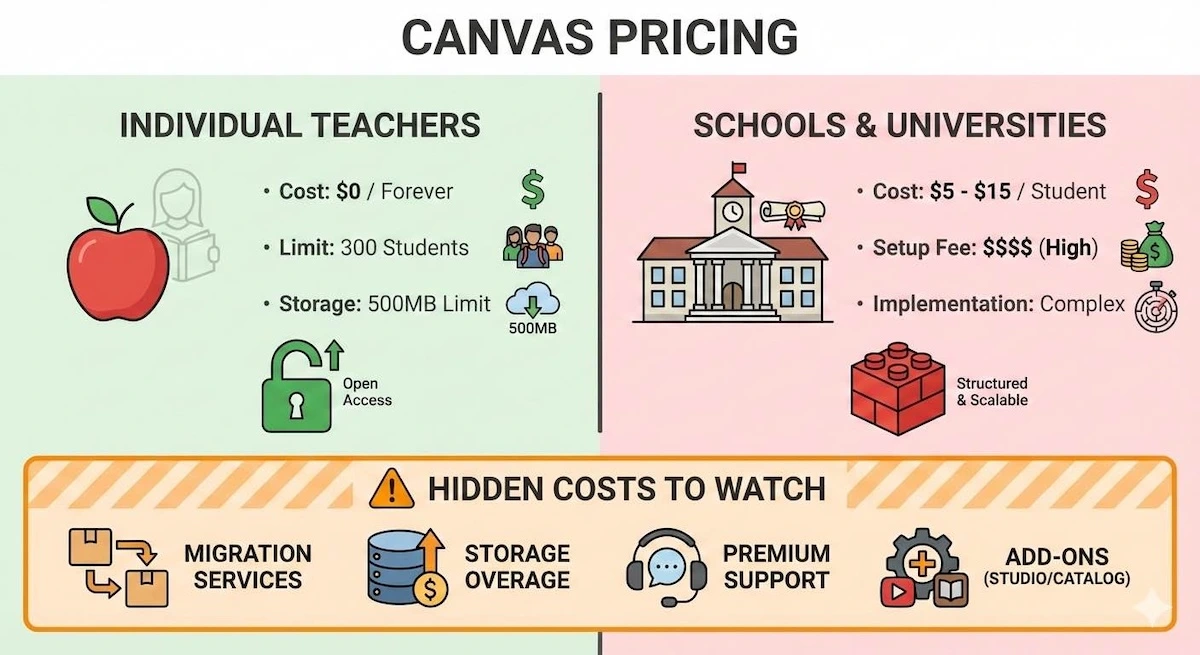
Individual teachers can use Canvas for free, but institutions face implementation fees, storage overages, and per-student costs.
What Students Say About Canvas Pricing
User reviews on Reddit and educational forums reveal mixed opinions about Canvas pricing. Many students and teachers find the free-for-teachers plan excellent value, allowing course creation without institutional subscription. However, those familiar with free alternatives like Google Classroom and Moodle note that institutional Canvas costs can be high compared to fully open-source solutions.College administrators on Reddit forums discuss Canvas pricing as reasonable compared to Blackboard’s reputation for higher costs, though custom quote models lack transparency. Overall, users appreciate Canvas’s free tier but question whether advanced institutional features justify the premium pricing against budget-conscious open-source competitors.Hidden Costs
While Canvas itself doesn’t charge direct registration fees for free accounts, institutions often encounter additional expenses. Implementation and customization fees can cost tens of thousands upright. Advanced features like Canvas Studio for video learning and Canvas Catalog for course marketplace management require separate subscriptions. Support packages beyond standard help desk access incur extra fees. Migration from legacy systems requires professional services. Some institutions report unexpected costs for integrations with third-party tools, though Canvas supports over 900 LTI integrations. Data storage overages may apply depending on institutional plans.How Canvas’s Pricing Works
Canvas operates on a subscription model for institutions with custom pricing based on institution size, number of courses, and required features. Teachers can create free individual accounts without institutional affiliation. Payment typically occurs annually with advance commitments. Volume discounts apply for larger educational networks and consortiums.Canvas does not offer monthly flexible billing—most contracts require annual commitment. Educational institutions in the United States, Canada, Australia, UK, and other developed nations negotiate direct contracts with Instructure sales representatives. Nonprofit and lower-income educational institutions may qualify for reduced rates through special programs.Free Trial
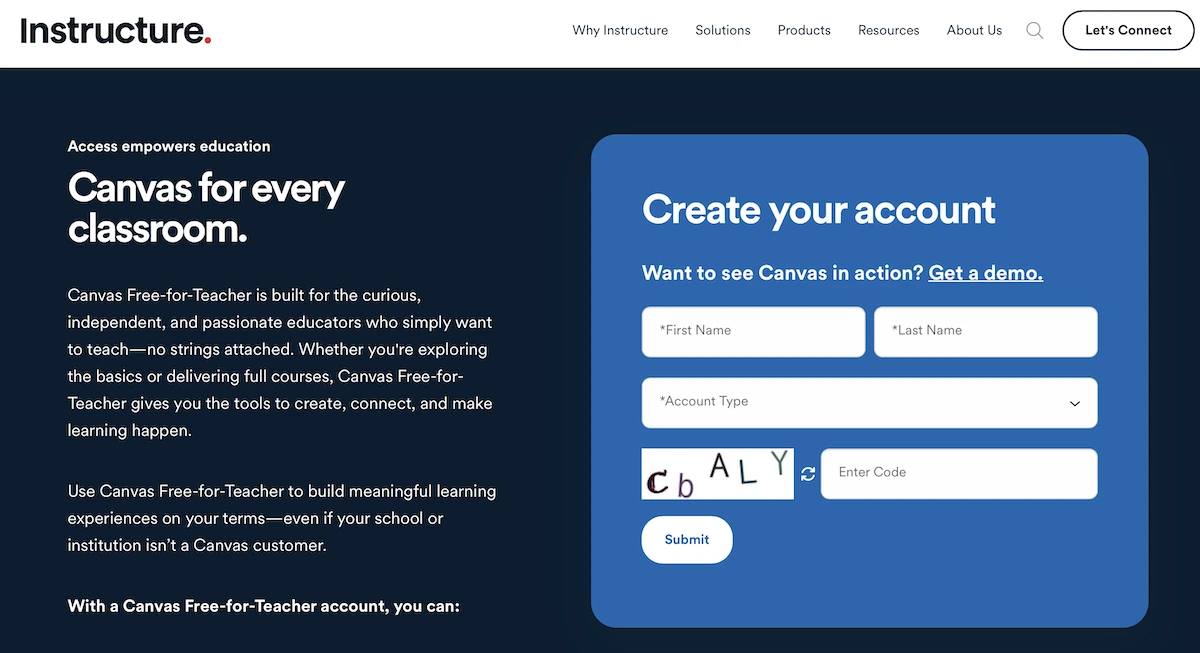
Yes, Canvas offers a free trial. The Canvas Free-for-Teacher account allows educators to access core features including assignments, quizzes, discussions, and video conferencing at no cost. Teachers can create courses and invite up to 300 students without paying. Trial terms specify a 500MB storage limit per course and 50MB per individual file. This free version remains available indefinitely, not just a limited trial period.Refund Policy
Canvas’s standard refund policy is not publicly detailed on their website. Institutional contracts typically include negotiated terms handled case-by-case. For free accounts, no refunds apply since the service is complimentary. Paid institutional subscriptions follow terms outlined in individual service agreements.User reviews on Trustpilot and Reddit discuss limited refund flexibility once contracts are signed. The platform’s free-for-teacher terms note that data storage limits may result in content deletion if exceeded. Unlike some competitors offering money-back guarantees, Canvas typically requires completing contract terms for refund eligibility.Canvas Alternatives
Choosing the right LMS depends entirely on your specific needs—whether you prioritize budget, customization, or ease of use. This comparison table breaks down how Canvas stacks up against its top competitors.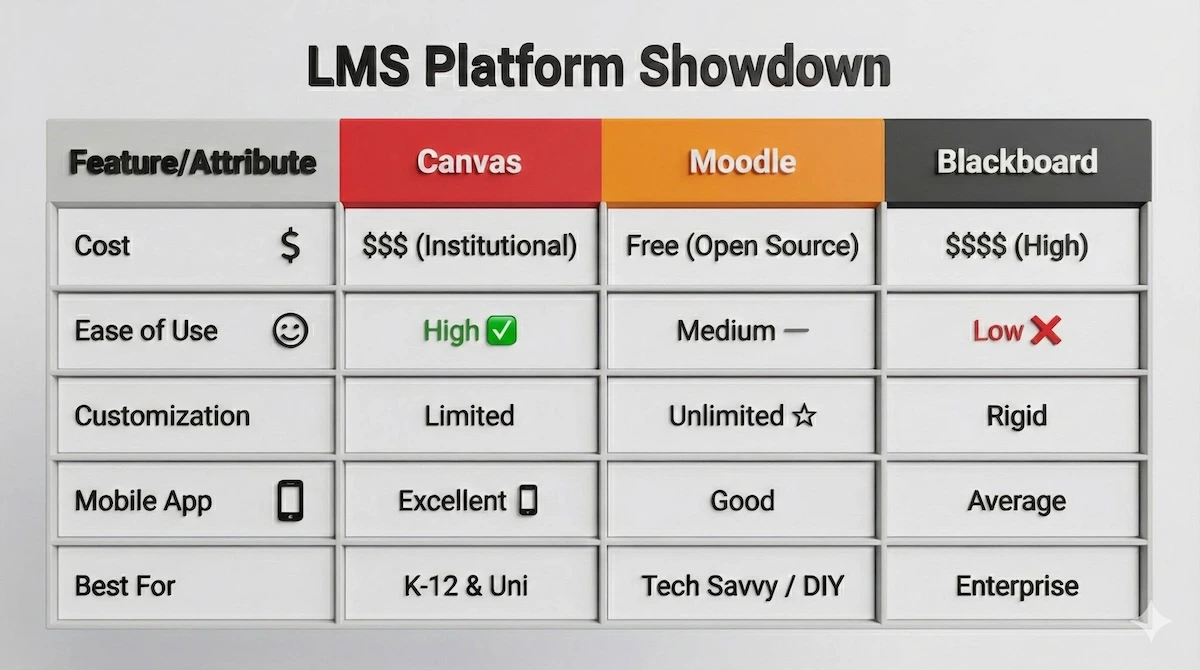
While Moodle offers free customization, Canvas leads in ease of use and mobile accessibility compared to Blackboard.
Moodle
Moodle is a free, open-source LMS offering extensive customization through 2,000+ plugins and community support.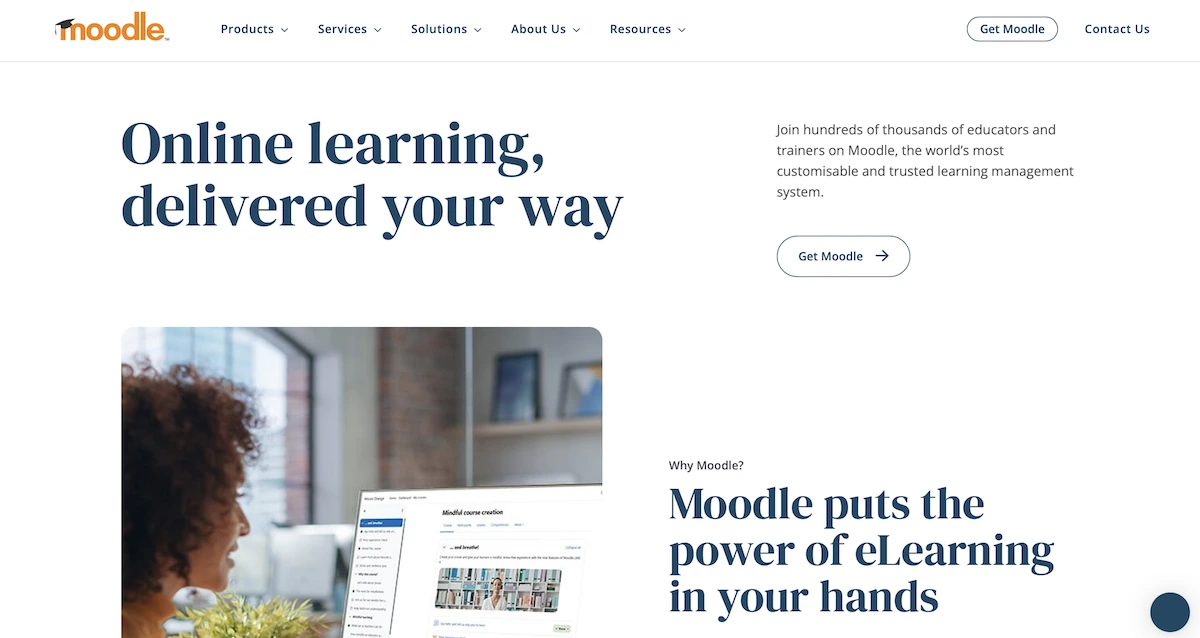 Pros:
Pros:- Completely free and open-source with no licensing fees.
- Highly customizable with 2,000+ plugins and unlimited flexibility for institutional branding.
- Powerful advanced features like forums, wikis, and comprehensive activity options.
- Steep learning curve requires technical expertise to navigate advanced features.
- Complex interface feels cluttered to new users compared to Canvas’s clean design.
- Requires dedicated IT resources for hosting, maintenance, and server management.
Blackboard
Blackboard is an established enterprise LMS used by major universities since 1997.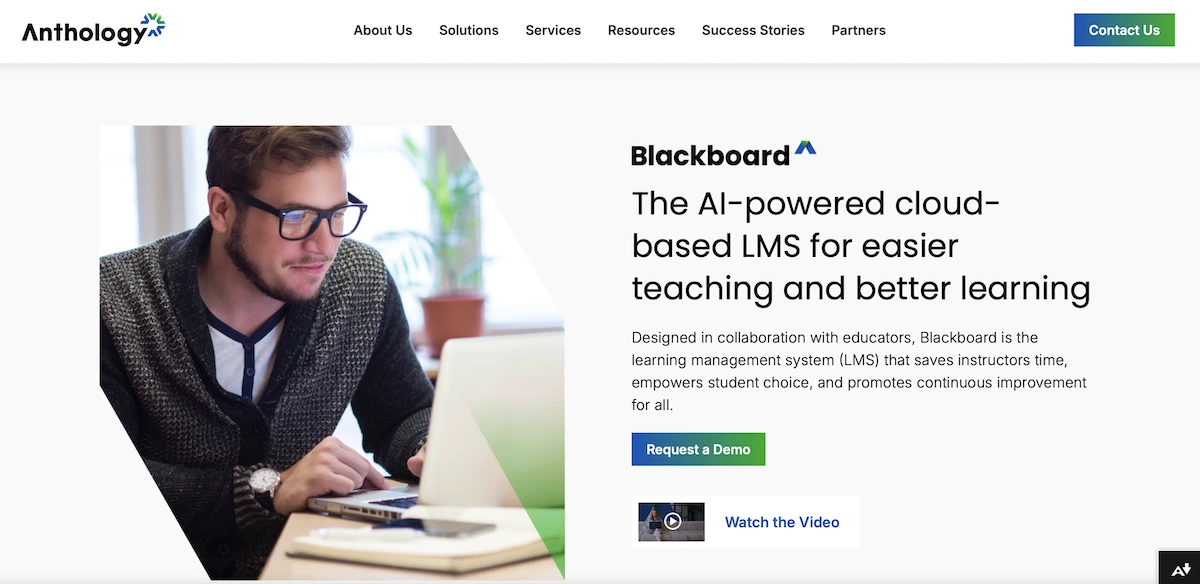 Pros:
Pros:- Enterprise-grade analytics and robust performance tracking for large institutions.
- Comprehensive accessibility features and compliance with disability standards.
- Integrates with Microsoft Teams and Google Meet for video conferencing.
- Outdated, cluttered interface requiring multiple clicks for simple tasks.
- Significantly higher costs starting at $9,500+ annually for institutions.
- Steep learning curve for both students and educators new to the platform.
Google Classroom
Google Classroom is a free, lightweight LMS seamlessly integrated with Google Workspace tools.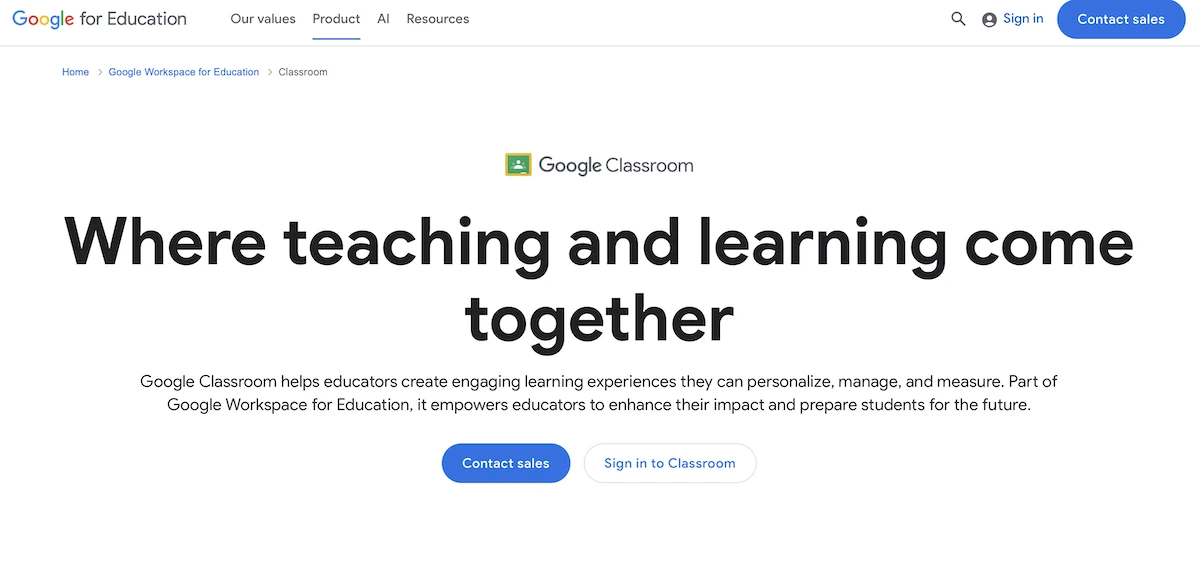 Pros:
Pros:- Completely free with no licensing or subscription fees.
- Intuitive, user-friendly interface requiring minimal training for students and teachers.
- Seamless integration with Google Workspace (Docs, Sheets, Drive, Meet).
- Severely limited compared to full LMS—not a complete learning management solution.
- No automated quizzes, tests, or assessments with grading.
- Lacks live video conferencing (though integrates with Google Meet).
TalentLMS
TalentLMS is a business-focused LMS designed for employee training rather than academic instruction.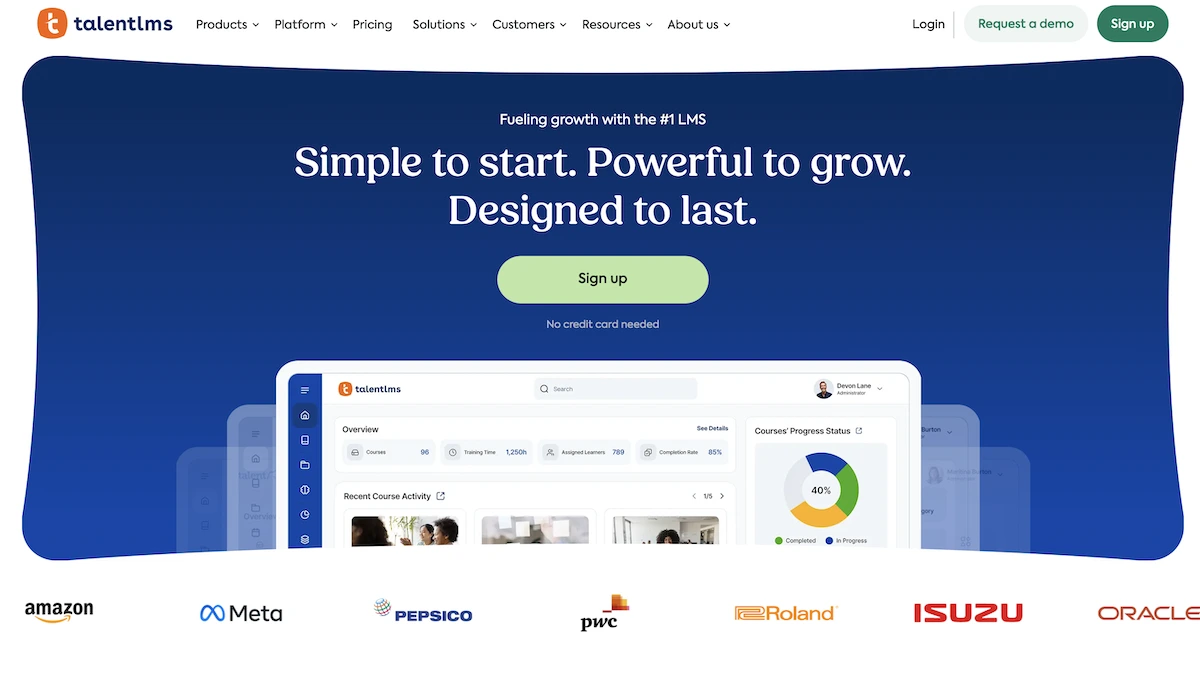 Pros:
Pros:- Extremely user-friendly interface designed for non-technical users and quick adoption.
- Affordable pricing starting at $69/month with flexible scaling options.
- Simple course creation with drag-and-drop content building.
- Lacks academic-specific features like robust rubrics and gradebook functions.
- Limited customization compared to Moodle or Canvas for institutional needs.
- Smaller feature set not suitable for complex university course management.
Open edX
Open edX is a free, open-source platform used by universities and organizations offering online courses at scale. Pros:
Pros:- Completely free and open-source with unlimited customization through developer access.
- Enterprise-scale technology handling massive student populations efficiently.
- Powerful for MOOCs (Massive Open Online Courses) with gamification and engagement features.
- Requires significant IT expertise and skilled developers for implementation and maintenance.
- Complex setup and configuration demanding extensive technical knowledge.
- Self-hosting involves ongoing server costs and IT responsibility for security.
My Engineering Buddy
My Engineering Buddy specializes in personalized one-on-one online tutoring and homework guidance within tutoring sessions for engineering and STEM subjects across 2,800+ specialized topics.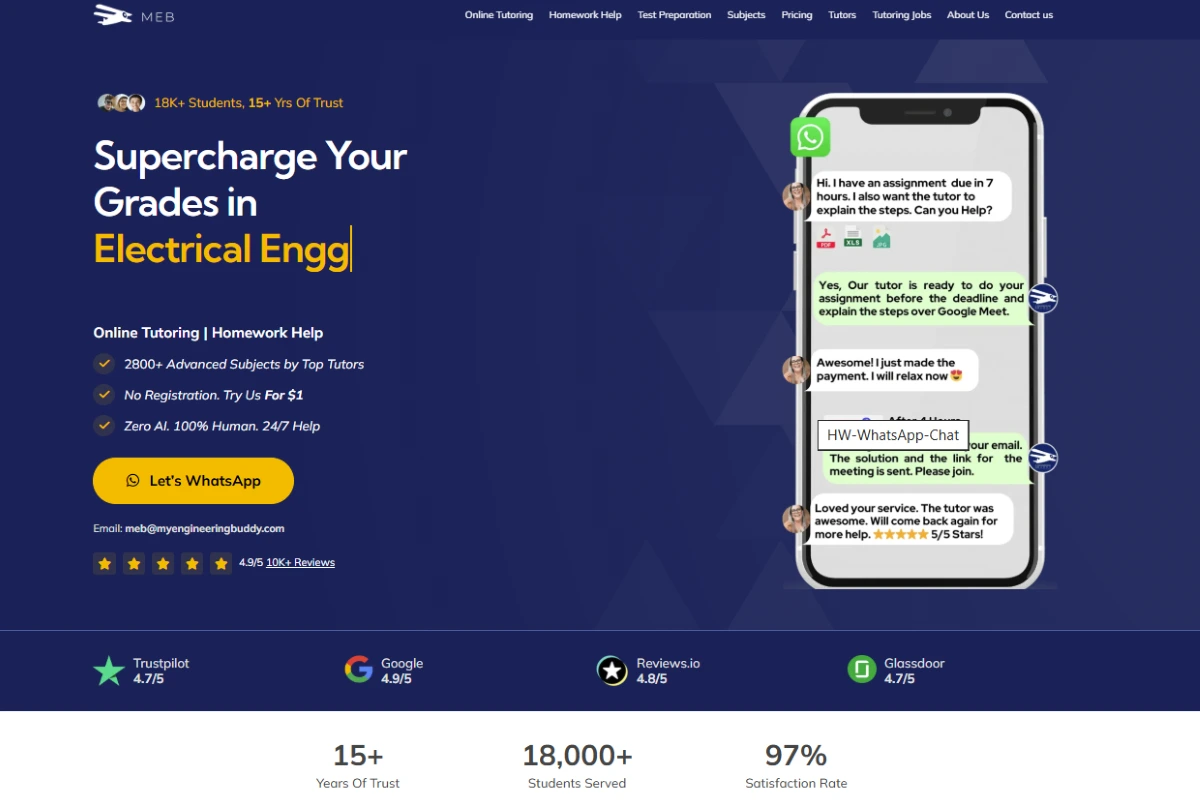 Pros for Students:
- Personalized 1-on-1 tutoring with expert tutors specialized in engineering and advanced STEM subjects.
- Flexible scheduling with sessions available 24/7 to fit student time zones globally.
- Affordable hourly rates starting from USD $20/hour with transparent pricing.
- Not an LMS—does not manage institutional courses or class cohorts.
- Hourly rate-based pricing becomes expensive for continuous, frequent tutoring needs.
- Specialized focus on STEM subjects may not help students in other academic areas.
How Canvas Works
For Students
Signup process: Students access Canvas through their institution’s login system using single sign-on credentials provided by their school. Individual students can create free Canvas accounts at instructure.com without institutional affiliation. The signup process requires minimal information—typically name, email, and password. Institutional students automatically receive course access when instructors add them to class rosters. Free-for-teacher students must request invitations from their teachers. Connecting with course materials: Students log into the Canvas dashboard and view all enrolled courses in the left navigation menu. Each course displays a syllabus, modules containing organized lessons, assignments, discussions, and resources. Students access multimedia content, download materials, and view announcements posted by instructors. The intuitive interface makes finding course information straightforward for most users.Navigating a new LMS can be overwhelming at first. Follow this standard workflow to ensure you never miss an assignment submission or grade notification.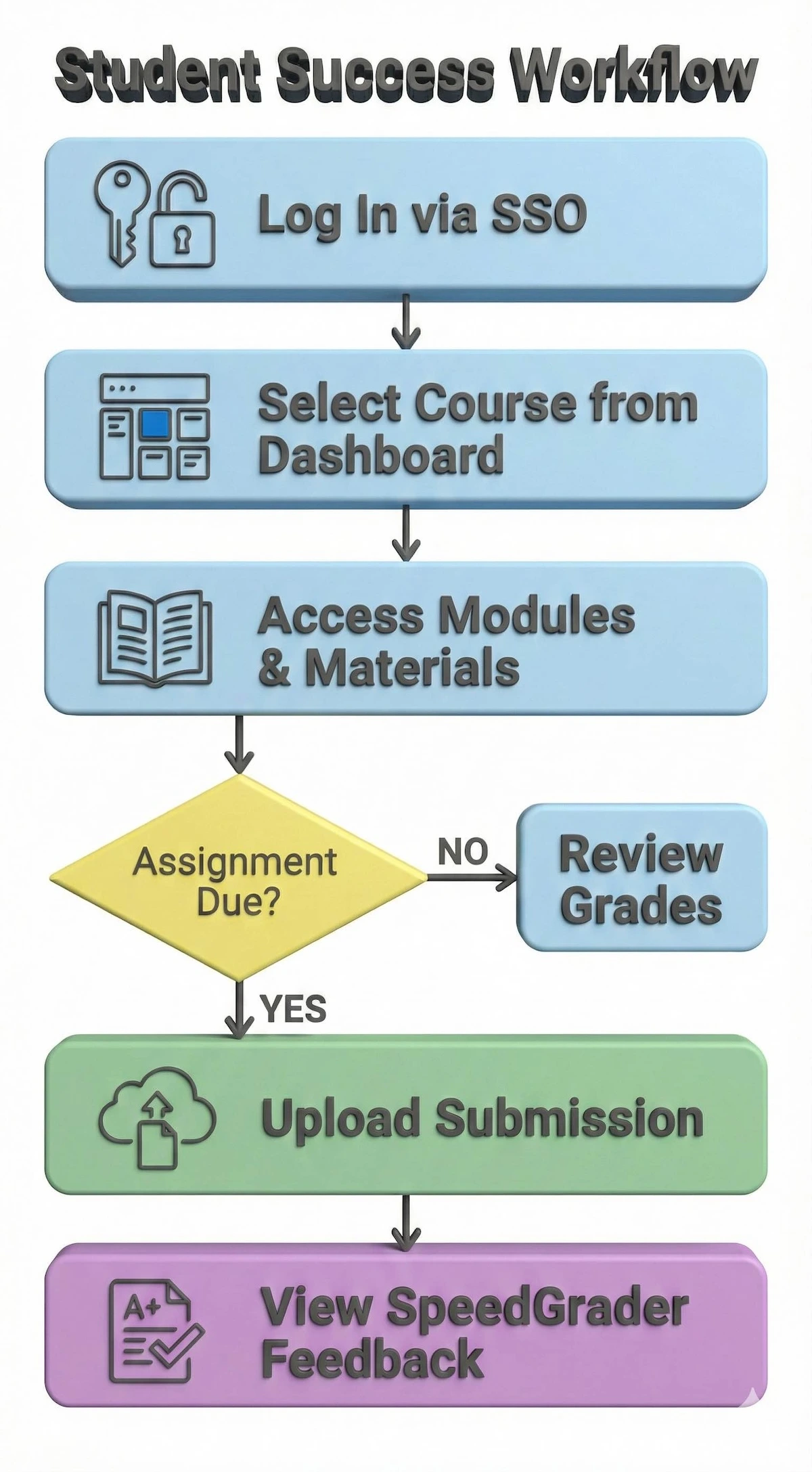
Follow this simple workflow to navigate your courses, submit assignments on time, and access instructor feedback efficiently.
For Tutors
Canvas is not designed as a tutoring marketplace; it’s an institutional LMS. Individual tutors cannot directly offer services through Canvas. Instead, teachers and professors use Canvas to manage their courses and interact with students. Educators can set up course materials, create assignments, post discussion prompts, and provide feedback through Canvas’s integrated tools. To become a Canvas educator, instructors must be affiliated with an institution using Canvas or create a free individual account.If you’re interested in becoming an online tutor offering personalized help to students, My Engineering Buddy provides a better platform than Canvas. Tutors on My Engineering Buddy offer one-on-one support in engineering and STEM subjects to students globally. Interested tutors should contact My Engineering Buddy to learn about tutor opportunities offering flexible work with competitive hourly rates.For educators wanting to teach through Canvas, visit your institution’s learning management administrator or contact Instructure directly about implementing Canvas at your educational organization.FAQs About Canvas as an Educator Tool
Can tutors set their own fee on Canvas, or is it fixed by the platform?
Canvas is not a tutoring platform where tutors set individual fees. Canvas is an LMS where institutions set pricing. Educators using Canvas within their schools don’t charge students directly; their salaries come from institutional budgets. Individual educators using free Canvas accounts work with students within institutional frameworks without setting personalized rates.How much can an educator expect to earn on an hourly basis using Canvas?
Canvas doesn’t generate tutoring income for individual educators. Educators use Canvas as a teaching tool within existing employment arrangements. School teachers, professors, and corporate trainers earn salaries from their employers while using Canvas to deliver instruction. Canvas isn’t a marketplace where tutors earn per-session fees like tutoring platforms.How many hours of work can an educator get per month using Canvas?
Canvas doesn’t distribute teaching hours to educators; it’s a course management tool for existing teachers. Educators working at schools or universities use Canvas to manage courses they’re already assigned to teach. Work hours depend on institutional employment terms, not Canvas availability. Individual educators using free Canvas accounts work independently with students they recruit.Is it easy to get students using Canvas?
Canvas isn’t a student-matching platform for independent tutors. Institutional educators automatically have students assigned through their school’s enrollment system. Individual educators using free Canvas accounts must independently recruit students and invite them to courses. Canvas provides no built-in student discovery or marketing features like dedicated tutoring platforms.Tips on how to get more students on Canvas: Individual educators can grow their Canvas courses by marketing courses externally through social media, education websites, and word-of-mouth. They can offer free preview sessions, share course descriptions on education forums, and advertise through niche communities relevant to their subject matter. However, Canvas lacks built-in marketing or discovery tools. Institutional educators serve students assigned through their school’s official processes.What educators like about Canvas: Based on reviews from Glassdoor and educational forums, teachers praise Canvas for its clean, intuitive interface requiring minimal training. Educators highlight the SpeedGrader feature that cuts grading time in half, the mobile app for managing courses on-the-go, and seamless integration with third-party tools like Google Workspace and Microsoft Teams. Many appreciate the large educator community for peer support and the regular feature updates responding to user feedback. Instructors value the accessibility compliance for inclusive learning.What educators do not like about Canvas: Educators note slow customer support response times, with many seeking help from online forums instead of official channels. Some report limited customization compared to Moodle despite Canvas’s flexibility claims. Teachers mention the learning curve for advanced features and occasional platform performance issues like slow file uploads. A recurring complaint involves limited batch-editing capabilities and the need for repetitive manual administrative tasks each semester.Canvas Company Information
Founding and Background: Instructure was founded in 2008 by two Brigham Young University graduate students, Brian Whitmer and Devlin Daley. They created Canvas in 2011 as a modern alternative to existing LMS platforms like Blackboard and Moodle. The founders were frustrated with Blackboard’s poor user experience during their studies and recognized a market opportunity for a more intuitive, user-friendly LMS. In 2010, Instructure secured a major contract with the Utah Education Network, making Canvas the statewide LMS for Utah’s public schools, colleges, and universities—a pivotal moment launching rapid growth.Founder Details: Brian Whitmer studied Human-Computer Interaction at Brigham Young University and served as VP of Product Management at Instructure. He focused on creating educational technology that simplified complex learning processes. Devlin Daley, co-founder, partnered with Whitmer to build the initial Canvas platform. After leaving Instructure in 2013, Daley co-founded Derivita, a specialized math learning platform integrating with Canvas.Mission and Vision: Canvas’s mission centers on elevating student success, amplifying teaching power, and inspiring collaborative learning. The company envisions a future where technology removes barriers to education, enabling personalized learning experiences at scale. Instructure aims to create a comprehensive learning ecosystem connecting over 1,100 educational technology partners. The vision emphasizes accessibility, equity, and student-centered learning design. Visit Instructure’s official site for detailed mission and vision statements.Scale of Operation: Instructure operates globally with headquarters in Salt Lake City, Utah. Canvas serves over 4,000 institutions across K-12, higher education, and corporate training sectors. The platform reaches approximately 28 million users worldwide. Instructure maintains offices in London, Sydney, São Paulo, and Budapest, serving institutions in North America, Europe, Australia, and Latin America. The platform boasts 99.99% uptime reliability. In 2024, KKR and Dragoneer completed purchasing Instructure for $4.8 billion, demonstrating significant investor confidence in Canvas’s market position.Services Offered: Beyond Canvas LMS, Instructure offers Canvas Studio (collaborative video learning platform), Canvas Catalog (course marketplace), Canvas Credentials (digital badging system), and Bridge (corporate learning management). These products combine to create a comprehensive learning ecosystem addressing diverse educational needs from K-12 through enterprise training.Subjects and Disciplines: Canvas serves all academic disciplines including Mathematics, Science, Engineering, Literature, History, Business, Computer Science, Healthcare, Law, and specialized professional fields. The platform’s discipline-agnostic design allows institutions to customize course structures for any subject matter. Instructors across virtually every field use Canvas for course delivery, from STEM subjects to humanities and professional development training.Unique Features: Canvas’s standout features include SpeedGrader for efficient assignment evaluation, MasteryPaths for personalized learning sequences based on student performance, Blueprint for standardizing course deployment across multiple sections, and seamless mobile app accessibility. The platform emphasizes clean interface design, accessibility compliance, and extensive third-party integrations. Canvas also offers free accounts for individual teachers and open-source availability.USP of Canvas
- User-Friendly Interface: Canvas claims and delivers on its promise of exceptional ease-of-use compared to competitors. User reviews on G2 and Trustpilot consistently confirm that Canvas requires minimal training and intuitive navigation simplifies course creation. Educators praise the clean dashboard and streamlined workflows. Canvas successfully fulfills this central USP.
- Free-for-Teacher Program: Canvas uniquely offers a free account for individual educators regardless of institutional affiliation. This democratizes access to enterprise-level LMS features. User reviews strongly support this differentiator, with educators frequently highlighting the value of accessing professional tools without subscription costs. This promise is well-fulfilled.
- Mobile-First Design: Canvas emphasizes mobile accessibility with dedicated apps for iOS and Android rated 4.5+ stars. Reviews confirm students and teachers effectively manage courses from mobile devices. This feature works reliably, validating Canvas’s mobile-first USP claim.
- SpeedGrader Efficiency: Canvas promises 50% reduction in grading time through SpeedGrader. Educator reviews confirm this tool effectively accelerates feedback delivery with annotation capabilities and rubric integration. This claim holds true in practice.
Drawbacks of Canvas
- High Implementation Costs: Despite free platform access, institutional Canvas adoption requires significant upfront implementation fees (tens of thousands of dollars). Transparent pricing remains unavailable, requiring custom quotes. Users criticize the opaque pricing model and unexpected costs.
- Limited Customization Compared to Moodle: While Canvas allows basic customization, it restricts deep modifications that Moodle permits through plugins. Institutions needing unique workflows find Canvas less flexible than advertised.
- Poor Customer Support: Users consistently report slow response times from official support channels, forcing educators to seek help from community forums and unofficial resources instead. This contradicts Canvas’s customer service promises.
- Steep Learning Curve for Advanced Features: While basic Canvas use is intuitive, advanced features like complex quiz logic, conditional assignments, and integration setup require technical knowledge. Users note insufficient training resources for advanced functionality.
- Security Vulnerabilities: Trustpilot reviews document security concerns where student sessions remain logged in after app closure and antivirus interference. These issues contradict Canvas’s reliability promises.
- Slow File Upload Performance: Multiple user reviews mention frustratingly slow file uploads, creating student submission issues and instructor grading delays.
- Lack of Batch Administrative Functions: Educators cannot batch-edit assignment dates across courses or send messages to multiple classes simultaneously, requiring repetitive manual work each semester.
Comparison with My Engineering Buddy
It is important to understand that an LMS like Canvas organizes your files, but it doesn’t teach you the material. The graphic below illustrates the fundamental difference between the software schools use and the support we provide.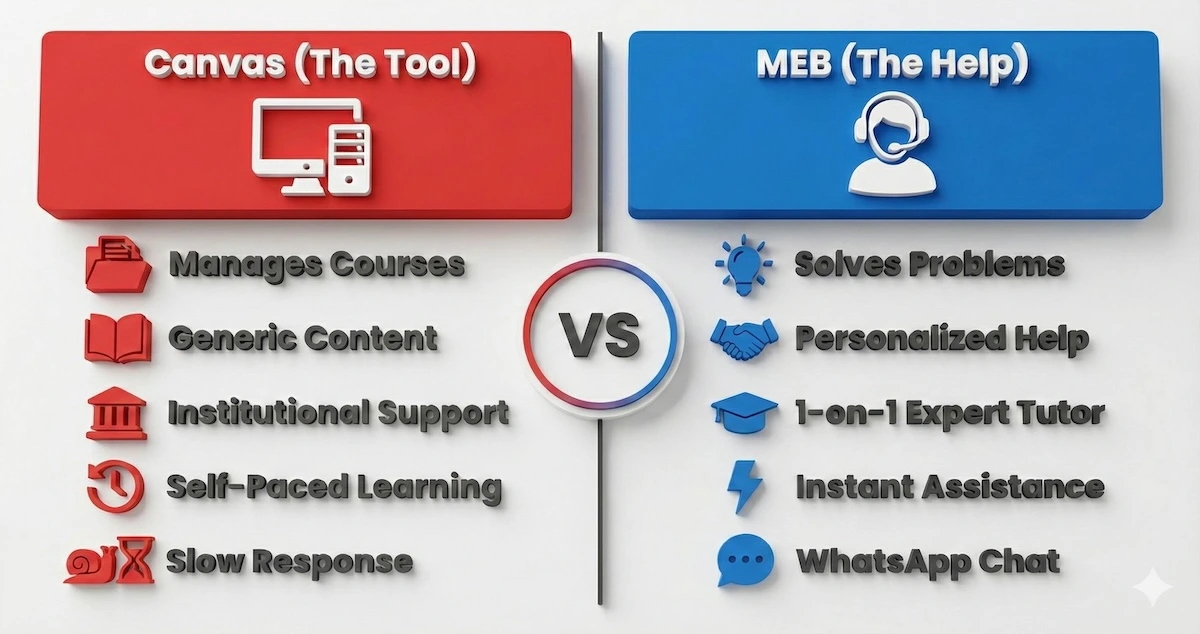
Canvas manages your course files, but My Engineering Buddy provides the personalized human help you need to understand them.
Customer Support and Policies
Canvas provides 24/7 customer support through knowledge bases, community forums, and help tickets. However, user reviews on Trustpilot and Reddit consistently note slow response times from official support channels, with educators often waiting days for technical assistance. The platform offers extensive self-service documentation and a large community of educators sharing solutions.My Engineering Buddy provides superior responsiveness through WhatsApp, email, and direct communication with founder Pankaj Kumar. Many students report getting answers within hours from MEB’s support team, contrasting with Canvas’s slower institutional support structure.We’ve covered a lot of details regarding features, support, and pricing. Here is the final verdict—a quick summary of the major strengths and weaknesses you need to consider.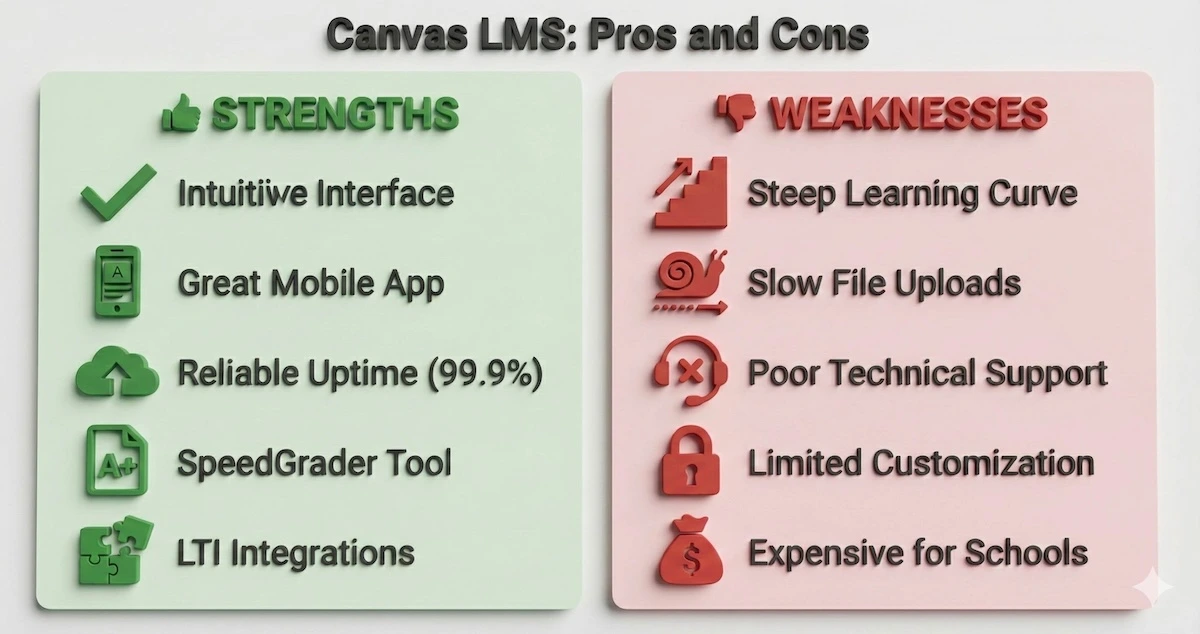
While Canvas excels in reliability and mobile access, users frequently report issues with slow support and upload speeds.
Global Reach and Localization
Canvas serves institutions globally across the United States, Canada, United Kingdom, Australia, and other developed nations. The platform is primarily English-language with limited multilingual support. Canvas serves institutions in wealthy countries with established educational infrastructure.My Engineering Buddy operates globally specifically serving students in wealthy countries including USA, Canada, UK, Gulf nations, and Australia who seek premium tutoring. My Engineering Buddy’s global 1-on-1 approach provides personalized support that Canvas’s institutional design cannot deliver at the individual student level.Canvas’s Future Plans
AI Integration: Canvas announced a groundbreaking partnership with OpenAI in July 2025 to embed AI capabilities directly into the platform. The OpenAI integration enables teachers to create Large Language Model (LLM) workflows allowing students to engage with AI in conversational formats. This LLM-Enabled Assignment feature lets educators define how AI interacts with students while maintaining data privacy within Canvas. This represents Canvas’s most significant AI initiative, positioning the platform at the forefront of AI-enhanced education.IgniteAI Ecosystem: Canvas introduced IgniteAI as a future-ready, open ecosystem supporting agentic AI support. This strategic direction emphasizes Canvas’s 1,100+ edtech partner connections and integration with leading LLM providers beyond OpenAI.Enhanced Analytics and Personalization: Canvas plans expanded predictive analytics identifying at-risk students earlier and advanced personalization features adapting learning paths in real-time based on student performance data.Expanded Credential Recognition: Following the 2024 acquisition of Parchment, Canvas plans stronger integration of digital credential management, allowing institutions to issue verifiable digital badges and micro-credentials recognized across employers and educational systems. Educators and students curious about how platforms like Canvas compare to other learning tools may find these reviews useful: a look at New Assignment Help, an overview of Method Learning, and a detailed breakdown of Flipclass are all worth reading. Students preparing for professional exams may also benefit from this guide on what the Electrical FE Exam covers and where students struggle most.
FAQs About Canvas LMS
How does Canvas LMS compare to My Engineering Buddy?
Canvas is an institutional LMS for course delivery to groups of students; My Engineering Buddy specializes in personalized one-on-one tutoring for individual students. Canvas serves schools managing multiple courses; My Engineering Buddy serves individual students needing specialized academic help. Choose Canvas if you’re an institution; choose My Engineering Buddy if you’re a student seeking personalized expert tutoring.Can Canvas LMS be used for private tutoring?
Canvas LMS is not designed for private tutoring marketplaces. While teachers can create courses and invite individual students, Canvas lacks tutoring-specific features like per-session billing, tutor profile matching, and session scheduling. For private tutoring, platforms like My Engineering Buddy offer better functionality.What is the difference between Canvas and Moodle?
Canvas prioritizes ease-of-use and cloud hosting; Moodle prioritizes customization and open-source affordability. Canvas costs more but requires less technical expertise. Moodle costs less but demands technical skills for optimal configuration.Is Canvas LMS free for teachers?
Yes, Canvas LMS offers free individual accounts for teachers through the Canvas Free-for-Teacher program. Institutional subscriptions cost custom quotes based on organization size.Does Canvas LMS work for small schools?
Canvas LMS works for schools of any size, though custom institutional pricing may challenge small budgets. Individual teachers can use free accounts; small schools can explore cost-effective alternatives like Google Classroom or Moodle.What security certifications does Canvas LMS hold?
Canvas LMS maintains compliance with WCAG accessibility standards, Section 508 of the Rehabilitation Act, and ADA requirements. The platform achieves SOC 2 Type II certification and FERPA compliance for student data protection.Conclusion
Canvas LMS has established itself as a leading institutional learning management system with strong ease-of-use advantages and comprehensive features for higher education and K-12 schools. The platform’s strengths include intuitive interface design, mobile accessibility, and SpeedGrader efficiency. However, high implementation costs, limited customization compared to open-source alternatives, and customer support concerns present notable drawbacks. For students seeking personalized academic support rather than institutional course delivery, My Engineering Buddy offers superior one-on-one tutoring expertise in advanced STEM subjects with responsive support and proven satisfaction rates across 52,000+ students globally.Related Reading
******************************
This article provides general educational guidance only. It is NOT official exam policy, professional academic advice, or guaranteed results. Always verify information with your school, official exam boards (College Board, Cambridge, IB), or qualified professionals before making decisions. Read Full Policies & Disclaimer , Contact Us To Report An Error
