
Slidesgo: AI-Powered Presentation Templates for Students and Educators

If you’ve ever spent two hours building a slide deck that ended up looking like a spreadsheet with colours, Slidesgo was built for you. It’s a web-based library of professionally designed Google Slides and PowerPoint templates now grown to over 30,000 templates combined with a suite of AI tools that can generate a full draft presentation from a single-sentence prompt.
For students, educators, and anyone who needs polished slides without a design background, Slidesgo cuts hours of work to minutes. This guide covers everything you need to know: what it costs, what the AI tools actually do, how it compares to Canva and Google Slides, what the refund policy really says (the answer may surprise you), and where it fits alongside tutoring support from MyEngineeringBuddy.
Check Out: Get Personalized Online Tutoring
Reviews and Testimonials
Slidesgo holds strong user ratings across major review platforms. On G2, it scores 4.7/5 stars, with 73% of reviewers giving it five stars. Users consistently highlight the breadth of the template library and the time saved one G2 reviewer noted that Slidesgo helped them quickly locate a specific academic theme they couldn’t find elsewhere.
Another cited the drag-and-drop interface and support for embedded media (images, audio, MP4 video) as key reasons for recommending it to colleagues. On Capterra, Slidesgo holds a 5.0/5 rating.
Trustpilot users rate it approximately 3.8/5 a score that reflects the experience of free-tier users who encounter the 3-download monthly cap and attribution requirements, rather than dissatisfaction with the platform itself.
The consistent pattern across reviews: free users love the design quality but find the limits tight, and premium users report strong satisfaction with the value at $35.99/year.
The most frequently raised criticism across G2 and Trustpilot is that the most visually distinctive templates are behind the paywall, and that free templates can feel over-downloaded, meaning several classmates may use the same design. This is a genuine limitation worth knowing before downloading a template for a graded presentation.
Pricing Plans: What Slidesgo Actually Costs in 2026
Slidesgo has two tiers: Free and Premium. The current pricing, verified from the live Slidesgo pricing page, is as follows.
Free plan $0/month. Includes:
- 3 template downloads per month
- 3 AI-generated presentations per month
- Access to a selection of basic templates
- Online editor access
- Attribution required on all downloads (you must keep the Slidesgo credit slide)
Premium plan $35.99/year (billed annually), equivalent to $3.00/month. Or $5.99/month on a monthly billing cycle. Annual billing saves 50% over monthly. Includes:
- Unlimited AI-generated presentations
- Unlimited template downloads (fair use cap: 150/month)
- Access to the full 30,000+ template library
- Slidesclass: teacher-verified, ready-to-teach lesson slides
- AI teaching tools (quiz maker, lesson plan generator, exit ticket generator, and more)
- Early access to new AI features
- Ad-free experience
- No attribution required
- Team management tools (2+ users receive a 20% volume discount)
Education and institutional pricing: Schools, districts, and universities can contact Slidesgo’s sales team for discounted bulk licences covering both teachers and students. Pricing is negotiated directly and is not published on the main pricing page.
Note on local pricing: Slidesgo adjusts pricing by region; the figures above are the published USD rates. Prices exclude VAT and applicable local taxes.
| Feature | Free | Premium ($35.99/yr) |
| Template downloads/month | 3 | Unlimited (150 fair use) |
| AI presentations/month | 3 | Unlimited (150 fair use) |
| Full template library (30,000+) | ✗ | ✓ |
| Attribution required | ✓ | ✗ |
| Slidesclass lessons | ✗ | ✓ |
| AI teaching tools | Limited | Full access |
| Ad-free | ✗ | ✓ |
| Team management | ✗ | ✓ |
Free vs Paid Plans: The Honest Assessment
The free tier is genuinely useful for occasional use a student who needs two or three themed decks per semester is well served by it. The 3-download limit does mean you may hit the cap quickly if you’re managing multiple coursework submissions in the same month.
The attribution requirement (keeping a Slidesgo credit slide at the end of your deck) is fine for most student projects, but can be awkward for client-facing work or formal academic submissions where extra slides look out of place.
Premium at $35.99/year is approximately $3/month, which is competitive Canva Pro runs $15/month, and hiring a designer for a single deck costs more than an annual Slidesgo subscription.
Subscription Terms and the Refund Policy (Corrected)
Slidesgo subscriptions auto-renew by default. You can cancel at any time through your account settings your premium access continues until the end of the paid period.
Important correction from the original version of this article: Slidesgo’s standard (individual) Premium plan does offer a 30-day refund window, provided you have not downloaded any template during that period.
This is stated clearly in their current FAQ: “Yes, you can request a refund within 30 days after the payment if you have not downloaded any template from our website.” The no-refund policy applies specifically to Teams subscriptions, where the terms are agreed on a contract basis.
If you’re a solo user who signed up and changed your mind without downloading anything, you have 30 days to request a refund. Individual plans can be cancelled after a 24-hour waiting period post-payment.
There are no hidden charges beyond the listed subscription price and applicable local taxes.
Rephrasy.ai Review 2025: The Game-Changing AI Humanizer That Actually Delivers
What AI Tools Does Slidesgo Include?
Slidesgo’s AI suite has expanded significantly and is worth understanding in detail, because it covers more than just presentation generation. As of early 2026, the platform includes six distinct AI tools:
- AI Presentation Maker The flagship tool. Enter a topic description, choose a tone (formal, casual, educational, etc.) and a visual style from 24 options across four categories (minimalist, colourful, geometric, professional), select the number of slides (up to 14 in initial generation, expandable to 85), and choose from 25 supported languages.
The AI builds a draft deck in under a minute, applying content to Slidesgo’s professionally designed templates rather than generating layouts from scratch which is why the visual results are consistently better than raw AI-generated designs from less mature tools.
A significant update launched in December 2025 added document upload capability. Students can now upload a DOCX, PDF, or TXT file directly into the AI Presentation Maker.
The AI scans the document, extracts key points, and structures them into slides a genuinely useful workflow for converting lecture notes, research papers, or assignment briefs into presentation form without manual copy-pasting.
Output is in editable PPTX format, compatible with PowerPoint, Google Slides, Figma, and Canva. Free users can generate 3 AI presentations per month; Premium users have unlimited generation.
- AI PDF to PPT Converter Upload a PDF and receive a formatted PowerPoint presentation based on its content. Useful for converting existing documents lab reports, research papers, policy briefs into slide-ready format quickly.
- AI Lesson Plan Generator Teachers enter a subject, grade level, classroom setting (in-person, remote, or hybrid), and language. The AI produces a detailed lesson plan structured around the topic. Available for Pre-K through university level. This is one of the more substantive education-specific tools Slidesgo offers and has no direct equivalent in Canva.
- AI Quiz Maker Generates quiz questions based on a topic, grade level, and question format preferences. Useful for formative assessments and revision materials.
- AI Exit Ticket Generator Creates end-of-lesson check-in questions based on lesson content, grade level, and evaluation type. Output is in PDF format three sample exit tickets per generation.
- AI Icebreaker Generator Generates classroom or meeting icebreaker activities based on context, group size, and topic.
What the AI tools do well and where they fall short: The AI Presentation Maker is most useful as a first-draft accelerator it bypasses the blank-slide problem and gives you a structured starting point to edit.
Independent reviewers who tested it (including Fritz.ai, January 2026) note that the generated content is accurate as a structural outline but not deeply researched you still need to populate slides with your own analysis, data, and argument.
For students, the right use is: generate the structure and visual framework, then replace placeholder content with your own work. Do not submit AI-generated content directly without substantial editing.
Otter.ai Reviews, Best Alternatives, Pricing, & Offerings in 2025
Alternatives to Slidesgo: How Does It Compare?
Several tools compete in the presentation template and AI slide generation space. The honest answer to “which is best” depends on what you’re actually trying to do.
| Tool | Best For | Free Tier | AI Generation | Price |
| Slidesgo | Education templates, quick AI drafts | ✓ (3/month) | ✓ Strong | $35.99/yr |
| Canva | Broad design (not just slides), brand work | ✓ (generous) | ✓ Moderate | $15/month (Pro) |
| Beautiful.ai | Auto-formatted AI slides, business decks | Limited | ✓ Strong | $12/month |
| Gamma | AI-first slide generation, modern UI | ✓ (limited) | ✓ Very strong | $8/month |
| Google Slides | Collaboration, simplicity, cost | ✓ (unlimited) | ✗ Basic | Free |
| PowerPoint | Industry standard, advanced formatting | ✗ | ✓ Copilot (M365) | Included in M365 |
| Prezi | Non-linear, zooming presentations | Limited | ✗ | From $7/month |
Slidesgo vs. Canva: Canva is a broader design platform it covers social media graphics, logos, documents, websites, and videos, with presentations as one of many output types. Slidesgo is presentation-specialised. Slidesgo’s education template library is significantly deeper than Canva’s, particularly for subject-specific academic themes. Canva’s free tier is more generous (no monthly cap on basic templates).
For students who primarily need academic presentation templates, Slidesgo’s depth in education themes is a genuine advantage. For students who also need social media assets, infographics, and other design outputs, Canva’s breadth may be more efficient.
Slidesgo vs. Gamma: Gamma is a newer AI-first tool that generates presentations, webpages, and documents. Its AI generation is generally more polished and contextually aware than Slidesgo’s Gamma tends to write more substantive slide content rather than placeholder text.
However, Gamma’s template variety and education-specific resources are far more limited. For pure AI-generated presentations where content quality matters, Gamma is currently stronger. For template-based presentation design with education content, Slidesgo has a clear advantage.
Slidesgo vs. Google Slides: Google Slides has no meaningful native template library and its built-in AI (via Gemini in Google Workspace) is available only to paid Workspace users. For students who primarily use Google Slides for editing, Slidesgo works as a complementary template source you copy a Slidesgo template directly into Google Drive and edit it there. They are not competitors; most Slidesgo users also use Google Slides.
AllMath Review: How Effective Is Its AI Math Solver?
How Slidesgo Works: A Step-by-Step Workflow
Slidesgo is entirely browser-based no software installation required. It works on any device with internet access: desktop, laptop, tablet, or mobile.
The platform supports multiple languages across its interface and templates: English, Spanish, Portuguese, French, German, Korean, and others, with 25 languages available in the AI tools. The platform complies with GDPR, COPPA, and FERPA, meaning it meets international student data privacy requirements.
Getting a template (3 steps):
- Sign up and log in at slidesgo.com free, no credit card required for the free tier.
- Browse or search by category (Education, Business, Marketing, Medical, etc.), colour, or style. For students, the Education category includes subject-specific themes: science, history, maths, language arts, and more. Filter to “Free” if you’re on the free plan.
- Download: Choose “Google Slides” to save a copy directly to your Google Drive, or “PowerPoint” to download a .pptx file. Then open and edit in Google Slides or PowerPoint as usual Slidesgo does not require you to stay in their editor.
Using the AI Presentation Maker (5 steps):
- Go to slidesgo.com/ai/presentation-maker and log in.
- Enter your topic — a sentence or two describing what the presentation is about, its intended audience, and the tone (e.g. “A 10-slide overview of climate change causes and effects for a high school science class, educational tone”).
- Upload a document (optional) — new as of December 2025. Upload a DOCX, PDF, or TXT file and the AI uses your content as the basis for slides rather than generating generic placeholder text.
- Choose style and language — select from 24 visual styles and one of 25 supported languages.
- Download and edit — the output is a PPTX file. Open it in PowerPoint, Google Slides, or import into Figma or Canva for further editing.
Slidesgo’s Google Slides Add-on: There is also an official Slidesgo add-on available in the Google Workspace Marketplace. It allows you to browse and apply Slidesgo templates directly from within Google Slides, without leaving the application.
Useful if you’re already working inside Google Slides and want to apply a new theme mid-project.
For teachers specifically: The Slidesclass library contains teacher-verified, ready-to-teach lesson slides complete lesson presentations with exercises, activities, and exit tickets included available in multiple languages and for multiple grade levels. These are Premium-only.
The Teacher Toolkit section includes editable classroom management resources: planners, rubrics, behaviour charts, and more. These are designed to be downloaded and edited directly in Google Slides or PowerPoint.
Company Background
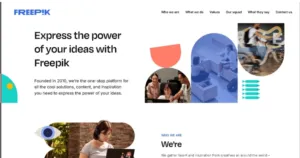
Slidesgo is a product of Freepik Company, a design platform founded in 2010 and headquartered in Málaga, Spain, with over 1,600 employees. Freepik’s portfolio includes the Freepik vector graphics platform, Flaticon (icon library), Storyset (illustrated scenes), and Slidesgo.
The company has been recognised as one of Europe’s fastest-growing technology companies. Slidesgo was launched in 2019 with an explicit focus on presentation templates it was purpose-built for slides rather than being a general design tool that added slides as a category.
Freepik’s integration with Slidesgo is practically useful: Premium Slidesgo users can incorporate Freepik vector graphics and Flaticon icons directly into their presentations via the online editor, without needing a separate Freepik subscription. This integration is a concrete differentiator from standalone template sites.
Slidesgo serves millions of users globally. Its stated design philosophy centres on six principles: subject-specific template structures, tailored visual resources per template (icons, infographics, illustrations), customisable professional layouts, interactive content elements, multilingual support, and accessibility for educators through Slidesclass and Teacher Toolkit.
Tutoring for Struggling Students 2026: How to Help Without Harm
Strengths and Limitations
Strengths:
- Template library depth: 30,000+ templates (as of 2026 pricing page) with genuine subject-specific design not just colour-scheme variations. Education-specific themes cover individual school subjects, grade levels, and teaching formats.
- AI tools integrated with design: The AI Presentation Maker uses Slidesgo’s professional templates as visual foundations, meaning AI output looks better than most generic AI slide tools.
- Document-to-slides workflow: The December 2025 file upload feature (DOCX, PDF, TXT) is particularly useful for students who need to convert research or notes into presentation form.
- Education infrastructure: Slidesclass lessons, Teacher Toolkit, AI Lesson Plan Generator, AI Quiz Maker, and AI Exit Ticket Generator make Slidesgo genuinely more than a template library for teachers.
- Freepik ecosystem access: Premium users can pull from Freepik graphics and Flaticon icons directly in the editor.
- No software installation: Fully browser-based; works on any device.
- Competitive pricing: $35.99/year is significantly cheaper than most comparable tools.
Limitations:
- Free tier is tight: 3 template downloads and 3 AI presentations per month limits usefulness for students with multiple simultaneous projects.
- Best templates are premium-only: Free templates are over-downloaded — common designs reduce distinctiveness of work.
- AI content is structural, not substantive: The AI generates slide outlines and placeholder content, not researched arguments. Students must provide the actual analytical content.
- No offline mode: Everything requires an internet connection. You need Google Slides or PowerPoint for substantial editing.
- No direct Keynote support: AI output is PPTX only; Keynote users must convert files.
- Editor has limits: The built-in online editor is functional for basic edits but not a full replacement for PowerPoint’s formatting capabilities for complex diagrams or equations.
Slidesgo vs. MyEngineeringBuddy: Choosing the Right Tool
MyEngineeringBuddy (MEB) and Slidesgo serve fundamentally different student needs, and understanding the distinction avoids spending time with the wrong resource.
Slidesgo is a design tool. It helps you produce well-formatted slides quickly. It does not explain engineering concepts, solve homework problems, review your analysis, or help you understand why your CFD simulation isn’t converging.
If your challenge is “my presentation looks rough,” Slidesgo solves it. If your challenge is “I don’t understand this topic well enough to explain it in a presentation,” Slidesgo makes it look polished but doesn’t solve the underlying problem.
MyEngineeringBuddy is a tutoring platform offering 1-on-1 expert guidance in 100+ engineering and STEM subjects, with online tutoring available 24/7 and a satisfaction guarantee.
MEB tutors help with the content working through problems, explaining concepts, reviewing analysis, and guiding thesis work which is the layer Slidesgo cannot provide.
The practical student use case: Use Slidesgo to build the visual structure of a presentation once you understand the material. Use MEB when you need help understanding the material itself before you can present it credibly.
| Dimension | Slidesgo | MyEngineeringBuddy |
| What it does | Presentation templates + AI slide generation | 1-on-1 tutoring + homework help |
| Teaches concepts | ✗ | ✓ |
| Available 24/7 | ✓ (automated) | ✓ (live tutors) |
| Cost | Free–$35.99/yr | ~$20/hr |
| Satisfaction guarantee | 30-day refund (no-download condition) | Money-back guarantee |
| Best for | Slide design, visual presentation | Subject understanding, problem-solving |
Many students use both: Slidesgo handles the design layer; MEB handles the content layer. They are complementary tools, not competitors.
Duolingo Reviews, Pricing & Alternatives: What You Actually Need to Know in 2026
Customer Support and Policies
Support channels: Slidesgo provides a FAQ database, an email contact form, and access to the Slidesgo Educator Community on Facebook. Premium subscribers receive priority support, which means faster response times on email/form inquiries. There is no phone support. For most common issues template access, billing, download problems the FAQ covers solutions clearly.
Refund policy (current, verified): Individual Premium subscribers can request a refund within 30 days of payment, provided no templates have been downloaded.
Teams subscription holders cannot request refunds once the agreement is formalised, as these are contract-based arrangements. To request a refund, contact Slidesgo support via the contact form on slidesgo.com/profile/support.
Auto-renewal: Subscriptions renew automatically. Cancel at any time via Account Settings → My Subscription → Cancel subscription. Cancellation takes effect at the end of the current billing period — you retain premium access until expiry.
Privacy and data compliance: Slidesgo complies with GDPR (EU), COPPA (under-13 data protection, US), and FERPA (US educational record privacy). The platform is safe for use by minors, with age-appropriate data handling policies.
FAQs
Q: What is Slidesgo and why use it?
A: Slidesgo is a presentation template platform for Google Slides and PowerPoint, with an integrated AI Presentation Maker and suite of AI education tools. It lets students and teachers create well-designed slides in minutes either by downloading a professionally designed template or by generating a draft deck from a text prompt or uploaded document.
Q: Is Slidesgo free to use?
A: Yes the free plan is genuinely free with no credit card required. It includes 3 template downloads and 3 AI presentations per month, with access to a selection of basic templates. Attribution (keeping a Slidesgo credit slide) is required on all free downloads.
Q: How much does Slidesgo Premium cost?
A: $35.99/year (billed annually), equivalent to $3.00/month. Monthly billing is available at $5.99/month. Premium includes unlimited downloads and AI presentations (150/month fair use), access to 30,000+ templates, all AI tools, Slidesclass lessons, ad-free browsing, and no attribution requirement. Local taxes may apply; pricing varies by region.
Q: Can I get a refund if I change my mind?
A: Yes, for individual Premium subscriptions you can request a refund within 30 days of payment, provided you have not downloaded any template. Teams subscriptions are non-refundable once formalised. Contact Slidesgo support to initiate a refund request.
Q: What AI tools does Slidesgo include?
A: Six tools as of early 2026: AI Presentation Maker (generates full decks from prompts or uploaded documents), AI PDF to PPT Converter, AI Lesson Plan Generator, AI Quiz Maker, AI Exit Ticket Generator, and AI Icebreaker Generator. The AI Presentation Maker supports 25 languages and 24 visual styles, and can generate up to 85 slides per deck.
Q: Can I upload my own notes or documents to the AI tool?
A: Yes as of December 2025, the AI Presentation Maker supports file uploads (DOCX, PDF, TXT). Upload your notes, research, or assignment brief, and the AI extracts key points and converts them into structured slides.
Q: How does Slidesgo compare to Canva?
A: Canva is a broader design platform covering social media, documents, logos, and more. Slidesgo is presentation-specialised, with a much deeper library of education-specific academic themes. Canva’s free tier is more generous; Slidesgo’s education content is more targeted. Most students use both for different purposes.
Q: Who should use Slidesgo?
A: Students who need well-designed academic presentations without a design background; teachers who need lesson slides, classroom materials, and educational resources quickly; professionals who need clean, modern slide decks for meetings or pitches. If you need 3 or fewer presentations per month, the free plan is sufficient. Frequent users get strong value from Premium.
Q: Does Slidesgo work in my country?
A: Yes. Slidesgo is fully web-based and accessible globally, with no regional restrictions. It supports 25 languages in its AI tools and multiple languages in its template library. Pricing is in USD on the main page, with regional variations applied at checkout.
Q: How do I sign up and download a template?
A: Go to slidesgo.com, create a free account (email only, no card required), browse or search for a template, and click Download. Choose “Google Slides” to copy it to your Google Drive, or “PowerPoint” to save a .pptx file. Then edit in Google Slides or PowerPoint as usual.
Q: How does Slidesgo differ from hiring a tutor?
A: Completely different functions. Slidesgo provides slide design tools it cannot explain concepts, solve problems, or review your analytical work. A tutoring service like MyEngineeringBuddy provides 1-on-1 expert guidance in engineering and STEM subjects. Use Slidesgo when your challenge is the design; use a tutor when your challenge is the content.
Q: Can I use Slidesgo templates for coursework or client presentations?
A: Yes. All Slidesgo templates free and premium can be used for personal, educational, and commercial projects. Free users must keep the Slidesgo credit slide. Premium users can remove attribution and use templates for client-facing work under a full commercial licence.
- Slidesgo and MyEngineeringBuddy serve different needs: Slidesgo handles the visual design layer of presentations; MEB handles the content and conceptual layer that makes a presentation credible
******************************
This article provides general educational guidance only. It is NOT official exam policy, professional academic advice, or guaranteed results. Always verify information with your school, official exam boards (College Board, Cambridge, IB), or qualified professionals before making decisions. Read Full Policies & Disclaimer , Contact Us To Report An Error
