
Imagetotext.io Review: Can It Accurately Extract Text from Images?

- Imagetotext.io uses OCR technology to extract text from images in seconds.
- It achieved ~99% accuracy on clear printed text in testing.
- The tool is free, browser-based, and requires no account or download.
- It supports multiple languages and detects mathematical symbols and equations.
- Premium plans start at $3.49/week for batch processing up to 50 images.
Text extraction from images has become a daily requirement for both students and professionals. It may be about digitizing notes from a screenshot or retrieving data from scanned documents. This task is hectic and tedious if done manually. But there are certain tools that use optical character recognition technology to quickly and accurately extract data from images.
One of those tools is Imagetotext.io. Students working through demanding coursework — whether they need a fluid mechanics tutor or help in another technical subject — often rely on OCR tools like this to digitize handwritten notes and scanned textbook pages quickly.
But how well does it actually perform?
In this review, we will take a close look at it and put it to the test through different input images containing textual information. By the end, you will know whether this online text extractor is reliable enough for your study projects or professional work. Let’s understand the basics of this tool.
What Is Imagetotext.io and How Does It Work?
It is a freemium web-based tool that can read and convert the printed or handwritten text in images into editable text. It uses OCR technology, which works by recognizing patterns and using character segmentation techniques to identify the text in the images.
The text extraction process completes in four steps. The first step is image acquisition. The image is converted into a binary or grayscale format for further processing. Then comes the preprocessing. The image is processed to remove unwanted parts, like extra lines and boxes.
Also, the deskewing and rotation correction are done to fix any alignment issues, so the image is optimized for the next phase.
Then comes the text recognition phase. In this phase, the tool uses pattern matching and feature extraction techniques to differentiate the characters from the background and identify the letters based on trained recognition models. After that comes the postprocessing step. Here, the tool converts the characters into machine-readable text and provides the extracted text.
Testing Imagetotext.io for Performance and Accuracy
Now, we will look into the performance and accuracy of this tool in detail by performing multiple tests. Here we go.
1) Ease of Use and Accessibility
This tool is an online text extractor that works directly in the browser. So, there is no need for downloading or installing anything. Furthermore, it is optimized for mobile view, meaning users can perform image-to-text conversions on the go.
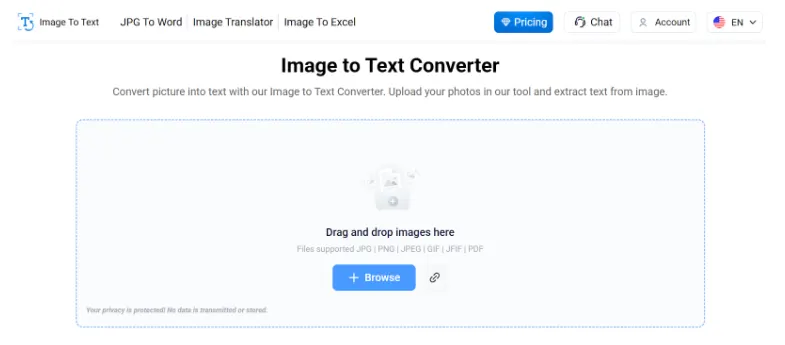
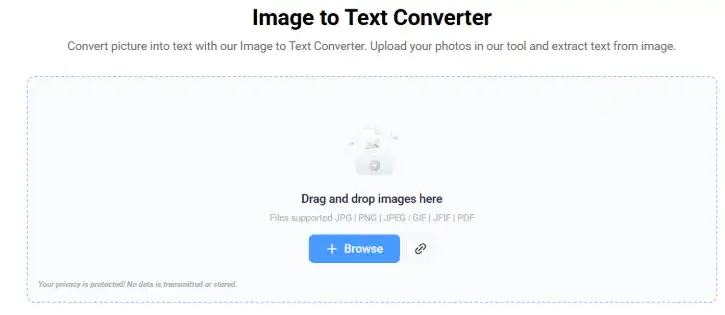
Extracting text using this tool is simple. You have to upload your image by clicking the “Browse” button. It also provides drag and drop, directly pasting images from the clipboard and pasting the image URL options. All these things make it an easy to use text extraction tool.
To show you just how straightforward this is, we have broken down the workflow below. The entire process takes just three simple steps.
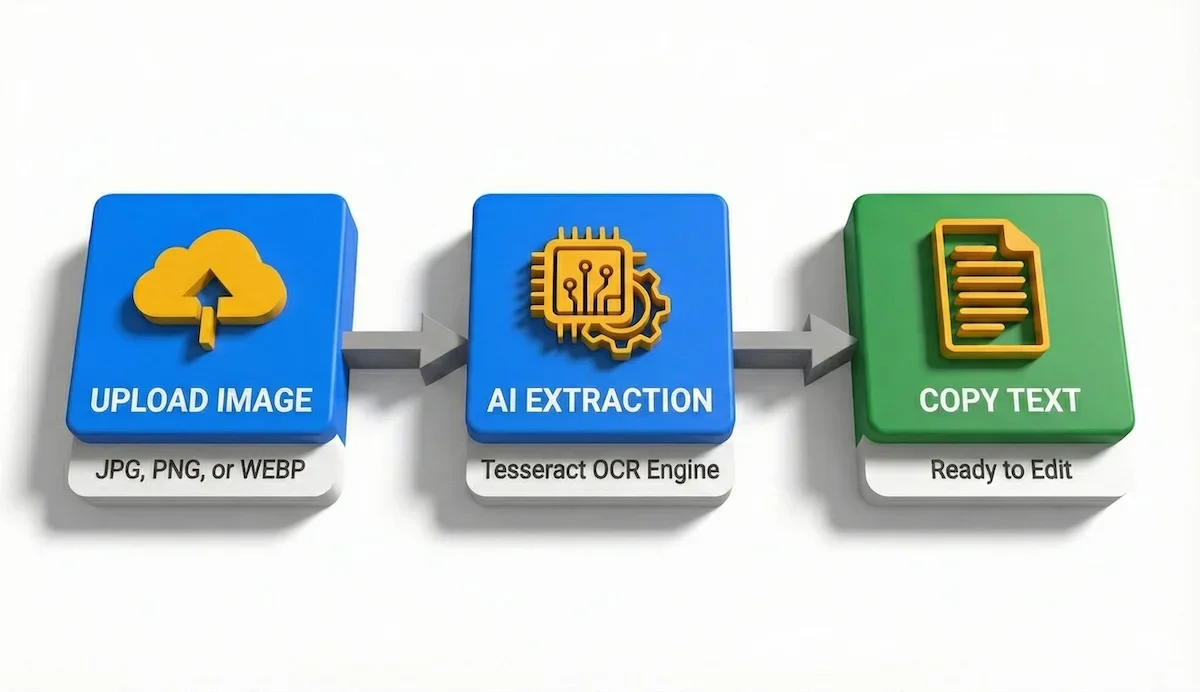
Using this OCR tool is a simple three-step process: Upload, Extract, and Copy.
As you can see, there are no complex settings to configure—just upload and copy.
After uploading the image, click the “Submit and Extract” button.
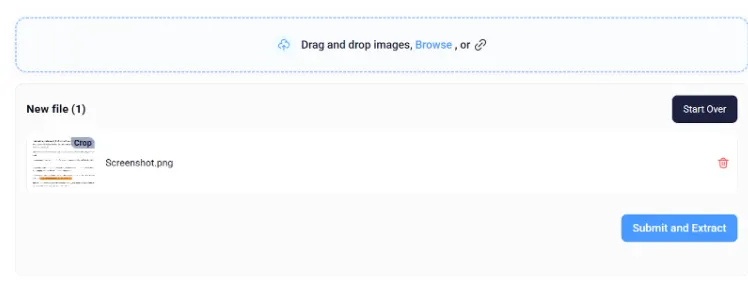
During this test, it took a few seconds to extract text from the image.
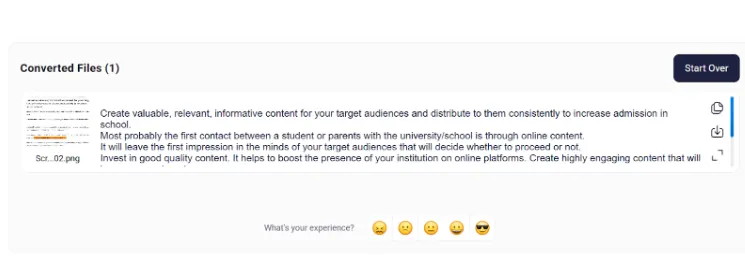
After extraction, it provides two options. Either you can download the text in .txt file format by clicking on the download button icon, or copy the text to your clipboard for later use. So, the tool is accessible from any device with an internet connection and is easy to use.
2) OCR Accuracy and Text Clarity
When it comes to text recognition accuracy, this tool performs better than most free online OCR converters. In our tests, it accurately captured around 99% of the words from clear, printed images. Punctuation and spacing were also well-preserved. It shows that the claim of using advanced Tesseract OCR and other Python OCR libraries to refine the extracted text is correct. You can see these results in the image below.
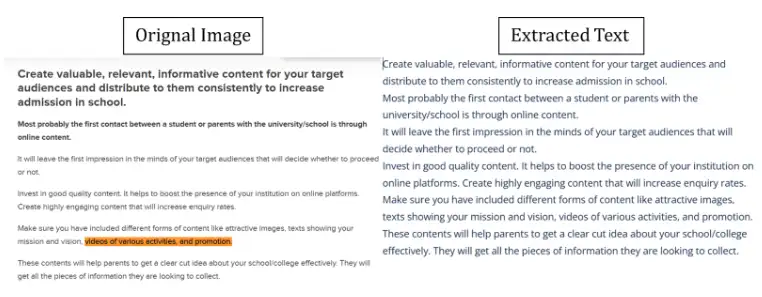
However, the accuracy rate slightly drops when dealing with misprinted and very blurred photos. But it efficiently extracted the possible letters that were not even readable by the human eye. However, it is a common limitation for tools that use advanced algorithms, including AI.
Visualizing the performance difference helps clarify where this tool shines. The chart below compares our test results across different image types.
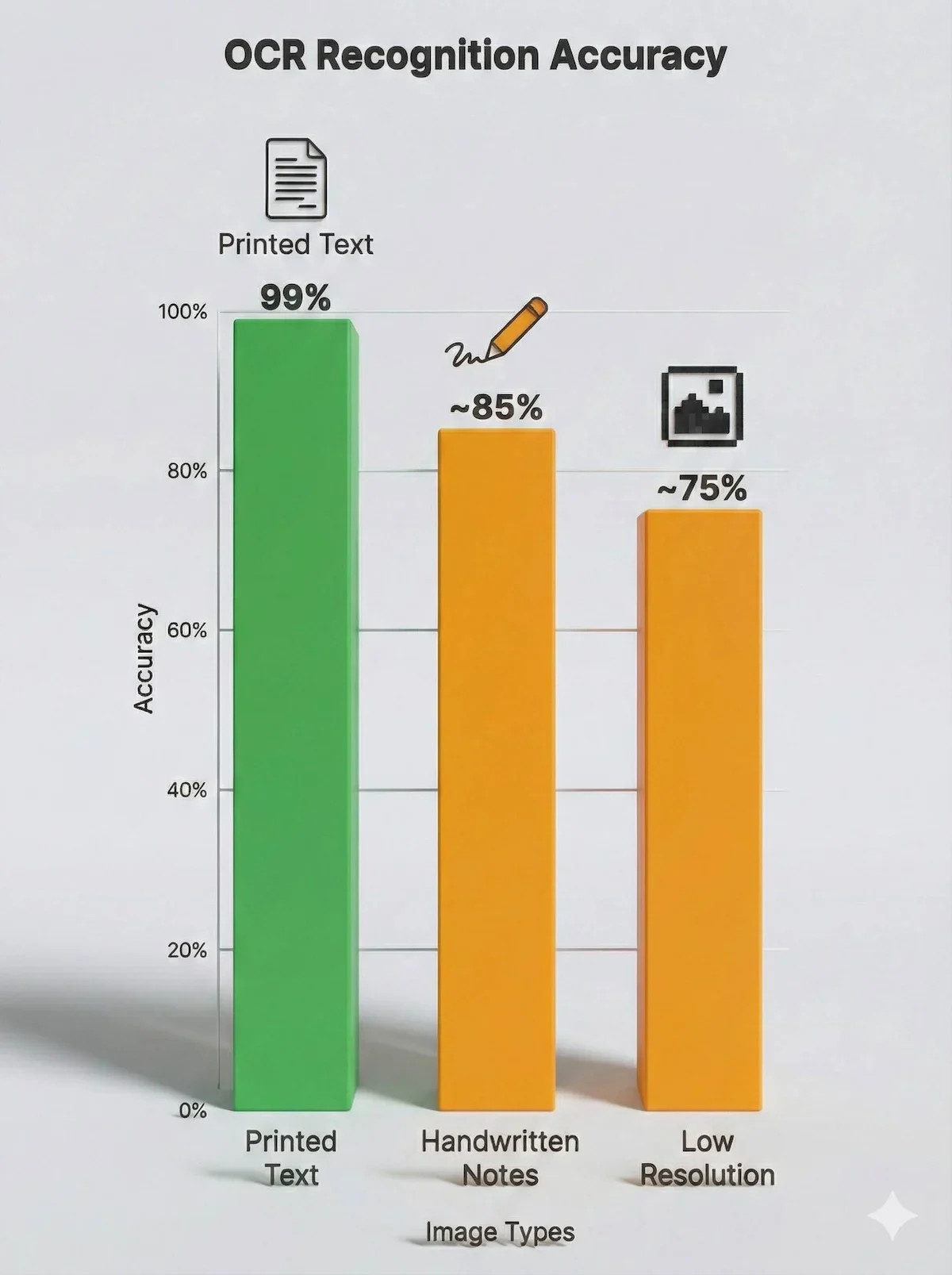
Our tests show 99% accuracy for clear printed text, with slightly lower performance for handwriting and blurry images.
While printed text results are near-perfect, you should verify the output manually when working with handwritten class notes.
Moreover, when tested for handwritten text, this tool performed well and extracted text accurately from a handwritten note. Refer to the following screenshot:

3) Speed and Processing Performance
The overall processing speed of Imagetotext.io is impressive for a free web-based text extractor. In most tests, it converted standard-sized images into text within three to five seconds. This makes it suitable for quick conversions like screenshots, scanned documents, and photos of notes, where time efficiency matters.
Images with complex backgrounds or multiple fonts take slightly more time to process. This is because the OCR engine performs additional analysis to improve text extraction and maintain character segmentation accuracy.
During testing, we noticed that images with good lighting and minimal noise were processed almost instantly. This shows that image preprocessing directly improves both speed and recognition accuracy. For routine academic or office use, the performance is stable and fast enough.
Engineering students who regularly photograph lecture slides or lab sheets will find this speed particularly useful. Those also seeking an engineering statics tutor for concept support can use OCR tools like this to quickly digitize static analysis diagrams and handwritten problem sets.
Standout Features of Image to Text Converter
This tool has certain powerful features that make it useful for students and professionals who work with sensitive data and need accurate text extraction. Some of these are as follows.
1) Free and Simple to Use
No account, no downloads. Just upload your image and get editable text within seconds. The interface is clean, with everything available on a single page. For students managing bulk study materials, 100% free multi-upload alternatives like Picturetext.org that also serve as excellent options to process up to 5 files simultaneously without running into single-image restrictions.
2) Detects Mathematical Symbols and Syntax
This feature sets it apart for students and technical users. It can pick up arithmetic equations and polynomial expressions without changing the format. It is quite helpful for students and math teachers when dealing with assignments or scanned documents.
For engineering students, this is the most critical feature. The illustration below demonstrates how the tool handles complex polynomial syntax.
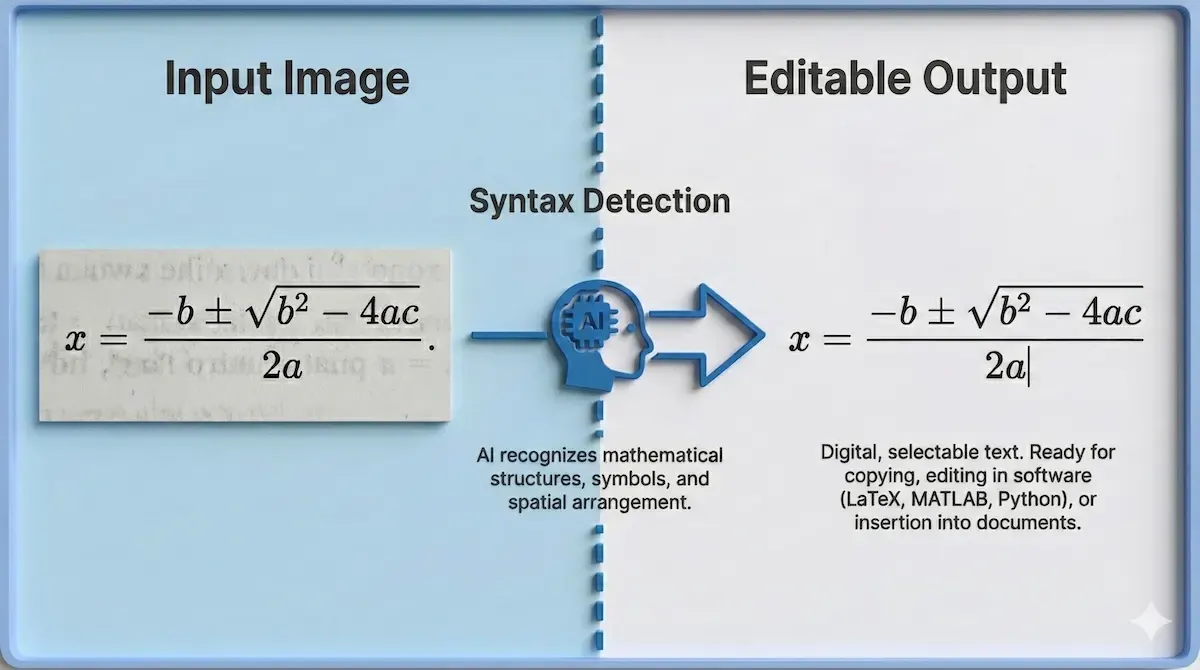
Unlike basic converters, this tool preserves complex mathematical syntax and polynomial expressions.
This ability to preserve variables and exponents saves hours of re-typing formulas manually. Similarly, advanced multi-layered text extraction tools like imgocr.com are frequently utilized by researchers and engineering students to pull textual and numerical data from complex document layouts. Students who also work with motion-based problems and need an engineering dynamics tutor will appreciate how accurately the tool captures equations from scanned problem sheets.
3) Works Well with Low-Quality Images
Even if your photo is slightly blurred or taken in poor lighting, the tool still manages to recognize the text with good accuracy. It can extract data from handwritten notes, book pages, or screenshots.
4) Supports Multiple Languages
One of the impressive features is that this tool can also extract text from images with different kinds of languages. It includes French, German, Arabic, Spanish and some others. This feature is very useful for students who often use study materials from different international writers and books.
Students in life sciences who study international research literature — including those working with a microbiology tutor — will find multi-language OCR especially practical for extracting text from foreign-language journal scans.
5) Accepts All Common File Formats
You can upload images in JPG, PNG, JPEG, BMP, GIF, TIFF, or WEBP. So, whatever device or screenshot format you use, the tool can process it smoothly.
It can be hard to keep track of every capability, so here is a snapshot. These five core features are what make the tool valuable for academic use.
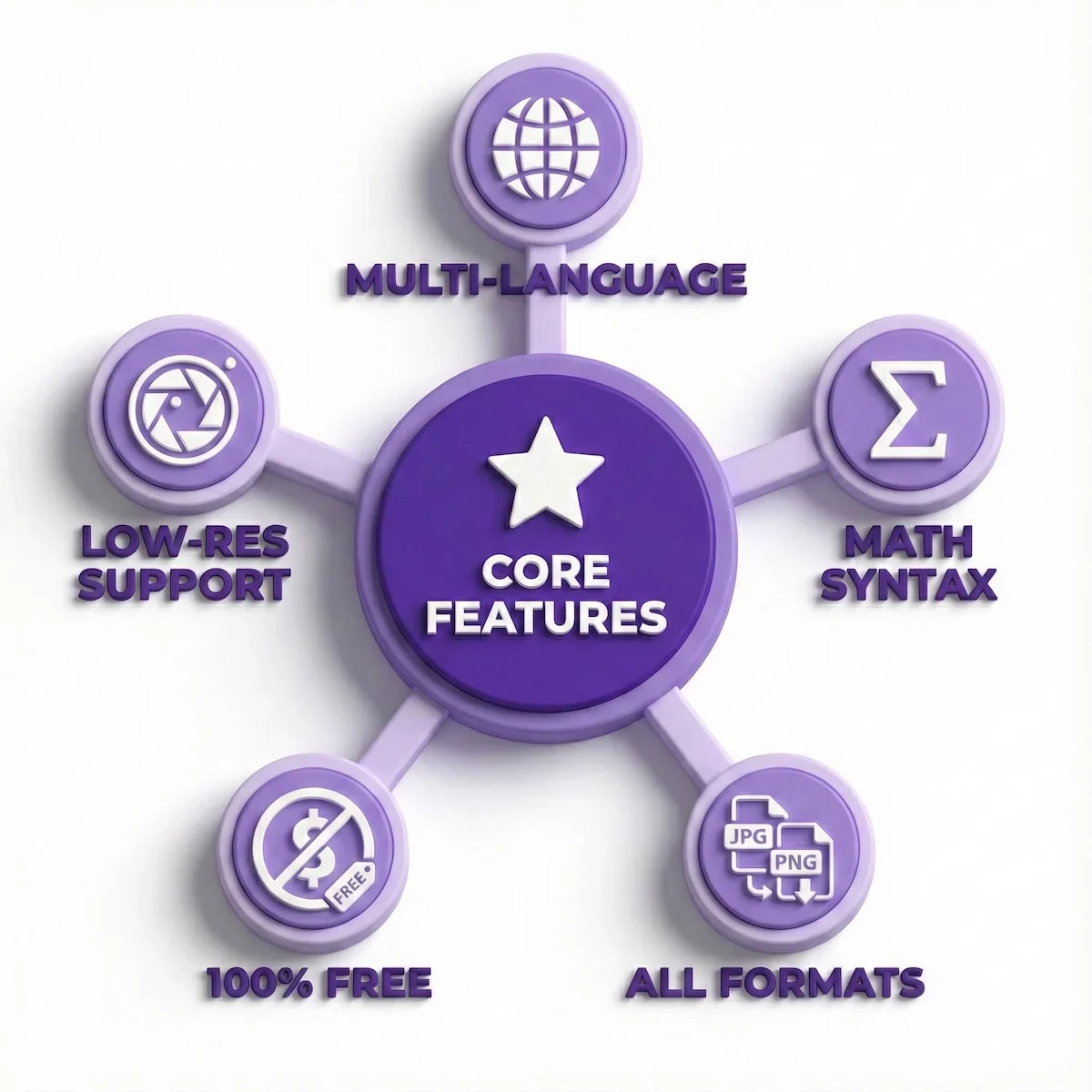
A snapshot of the five powerful features that make this tool essential for students.
The combination of free access and multi-language support makes it a versatile addition to any student’s toolkit.
Pricing Plans
Image to Text Converter is a freemium tool. You can upload 1 photo at once in the free version. The premium plans start at $3.49 per week. It provides several benefits over the free version, including processing 50 images at once, 2.5K images per week, 30MB image size supported, ad-free experience and 24/7 live support, among others.
The monthly plan costs $6.99. It offers 10K images per month, including all the other features from the weekly plan. The yearly plan costs $49.99, and it offers 60K images per year, along with all the other things in the previous plans.
For a broader look at how other ed-tech platforms are priced and reviewed, see our Brighterly review and our Kahoot review, which cover similar freemium and subscription structures in the education space.
Final Verdict: Is Imagetotext.io Worth Using?
After testing and reviewing Imagetotext.io, it’s clear that this tool does what it promises. It extracts text from images quickly, accurately, and without unnecessary steps. For a free web-based OCR converter, it delivers consistent performance.
Its biggest strengths lie in accuracy, accessibility, and simplicity. The tool runs directly in your browser, handles multiple languages, and even detects mathematical symbols. All these features make it especially helpful for students and professionals who often work with technical or academic content.
Before you decide if this tool is right for your current project, let’s weigh the benefits against the limitations. Here is the final verdict:
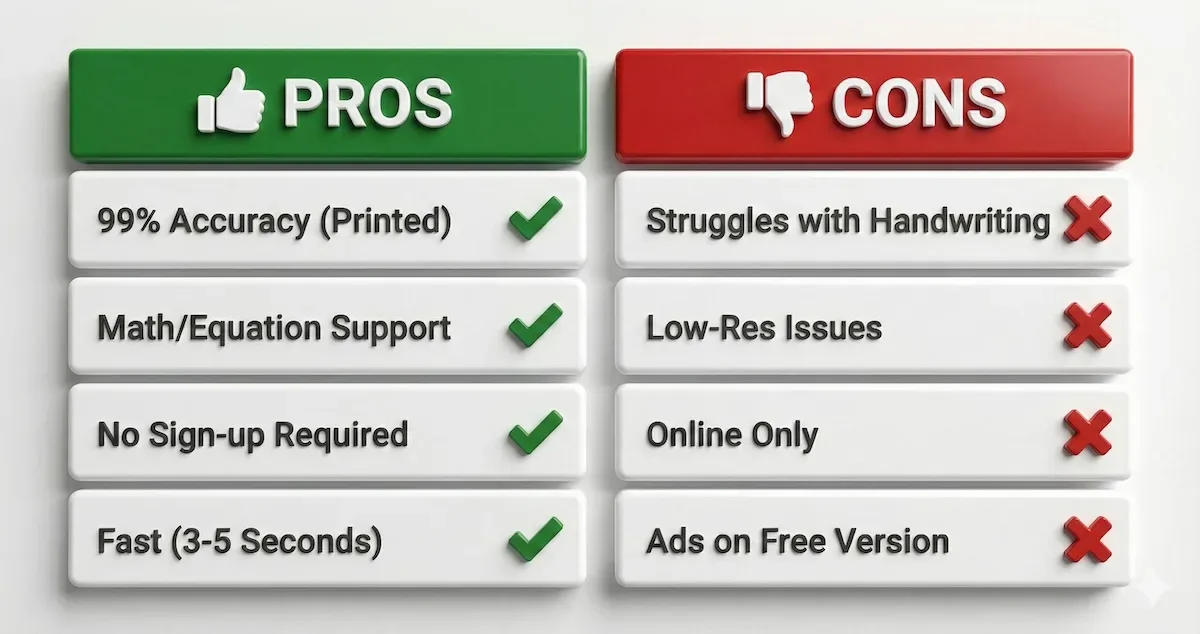
A quick summary of where this tool excels and where it faces limitations.
If your primary need is digitizing printed textbooks, the pros heavily outweigh the cons.
However, like most OCR tools, it has some limitations. It may struggle with very low-resolution scans or overly stylized handwriting, where even advanced Tesseract-based engines face difficulty maintaining text recognition accuracy.
Overall, if you need a fast, reliable, and easy way to extract text from images without installing anything, Image to Text Converter is one of the most efficient options available today.
If you are also comparing other academic platforms, our EduBirdie review and BrightChamps review offer similarly detailed breakdowns of tools students commonly use alongside OCR software. For specialist medical exam preparation, those studying for the MRCP(UK) SCE Endocrinology and Diabetes exam also rely on digitized study materials where accurate OCR is essential.
Related Reading
******************************
This article provides general educational guidance only. It is NOT official exam policy, professional academic advice, or guaranteed results. Always verify information with your school, official exam boards (College Board, Cambridge, IB), or qualified professionals before making decisions. Read Full Policies & Disclaimer , Contact Us To Report An Error
