




~1 min
Average Reply Time
~1 hour
To Be Matched With A Tutor
1 Trial
75% Find Their Tutor On The 1st Trial
$1
Your First 30 Minutes
Hire The Best UX/UI Design Tutor
Top Tutors, Top Grades. Without The Stress!
Related Subjects
Your Figma files look polished. Your user flows make no sense to a real user. That gap is exactly what a 1:1 UX/UI Design tutor fixes.
UX/UI Design Tutor Online
UX/UI Design is the discipline of creating digital products that are both usable and visually coherent — combining user research, information architecture, interaction design, and interface design to equip practitioners to build products real users can actually navigate.
If you’re searching for a UX/UI Design tutor near me, MEB offers 1:1 online tutoring and homework help across the full Front-End Development discipline — including UX/UI Design at every level from introductory coursework through graduate portfolios. Every session is live, expert-led, and built around your specific brief, tool stack, and deadline. One structured session can close gaps that weeks of passive watching won’t.
- 1:1 online sessions tailored to your course syllabus and project brief
- Expert-verified tutors with subject-specific UX/UI knowledge
- Flexible time zones — US, UK, Canada, Australia, Gulf
- Structured learning plan built after a diagnostic session
- Ethical homework and assignment guidance — you understand before you submit
52,000+ students across the US, UK, Canada, Australia, and the Gulf have used MEB since 2008 — including students in Front-End Development subjects like UX/UI Design, Figma tutoring, and Responsive Design help.
Source: My Engineering Buddy, 2008–2025.
How Much Does a UX/UI Design Tutor Cost?
Most UX/UI Design tutoring sessions run $20–$40/hr. Graduate-level or specialist portfolio coaching can reach $100/hr. Before committing, start with the $1 trial — 30 minutes of live 1:1 tutoring or a full explanation of one homework question.
| Level / Need | Typical Rate | What’s Included |
|---|---|---|
| Standard (most levels) | $20–$35/hr | 1:1 sessions, homework guidance |
| Advanced / Specialist | $35–$70/hr | Expert tutor, portfolio depth |
| $1 Trial | $1 flat | 30 min live session or 1 homework question |
Tutor availability tightens during semester submission windows and capstone deadlines. Book early if you have a fixed deadline.
WhatsApp MEB for a quick quote — average response time under 1 minute.
Who This UX/UI Design Tutoring Is For
This isn’t for students who want someone to design their screens for them. It’s for students who want to understand why their design decisions work or don’t — and fix that permanently.
- Undergraduate students in HCI, interaction design, or product design programmes
- Students retaking after a failed first attempt at a design critique or UX portfolio submission
- Graduate students struggling to defend their design rationale in research papers or presentations
- Students 4–6 weeks from a portfolio deadline with significant conceptual gaps still open
- Bootcamp students whose self-paced course stopped making sense at wireframing or usability testing
- Working professionals upskilling through a UX certificate at institutions like the Nielsen Norman Group, Google UX Design Certificate, or university continuing education programmes
MEB also works with students in programmes at universities including Carnegie Mellon, Georgia Tech, University of Michigan, Parsons School of Design, and Royal College of Art — as well as bootcamp and online cohort learners who need a real expert in the room.
1:1 Tutoring vs Self-Study vs AI vs YouTube vs Online Courses
Self-study works if you’re disciplined, but UX/UI has no built-in feedback loop on your design decisions. AI tools explain heuristics fast but can’t critique your actual wireframe or tell you why your nav pattern breaks on mobile. YouTube covers Figma features well; it stops short when your specific user flow has a logic problem. Online courses give structure but move at a fixed pace with no personalisation for your project brief. 1:1 tutoring with MEB is live, calibrated to your exact course or portfolio, and corrects faulty design thinking in real time — not after you’ve already submitted.
Outcomes: What You’ll Be Able To Do in UX/UI Design
After structured 1:1 sessions, students can apply user-centred design principles to a real product brief from research through final prototype. They learn to solve usability problems using heuristic evaluation — naming which Nielsen heuristic is violated and why. They can present a design rationale clearly enough to survive a live critique from a faculty panel or hiring manager. They learn to analyze wireframe structures and spot information architecture failures before a single pixel is designed. They can write a usability test plan, run a five-participant test, and translate findings into prioritised design changes.
Based on feedback from 40,000+ sessions collected by MEB from 2022 to 2025, 58% of students improved by one full grade after approximately 20 hours of 1:1 tutoring in subjects like UX/UI Design. A further 23% achieved at least a half-grade improvement.
Source: MEB session feedback data, 2022–2025.
Students consistently tell us that the moment a UX/UI concept clicked for them was when a tutor stopped explaining and made them justify their own design choice out loud. That single shift — from passive learning to active defence — is what separates students who pass critiques from those who don’t.
What We Cover in UX/UI Design (Syllabus / Topics)

User Research & Information Architecture
- User interviews, surveys, and contextual inquiry methods
- Persona creation and empathy mapping
- Card sorting and tree testing for navigation design
- Site maps and content hierarchy
- Jobs-to-be-done framework and user journey mapping
- Affinity diagramming and synthesis of research findings
Core texts: Don’t Make Me Think by Steve Krug; The Design of Everyday Things by Don Norman (2nd ed.).
Interaction Design & Wireframing
- Low-fidelity and high-fidelity wireframing in Figma
- Gestalt principles applied to layout and visual hierarchy
- Interaction patterns: modals, carousels, infinite scroll, tab bars
- Microinteractions and state design (hover, active, error, empty)
- Prototyping and clickthrough flows in Figma
- Design systems and component libraries
Core texts: About Face: The Essentials of Interaction Design by Cooper et al.; Hooked by Nir Eyal.
Usability Testing & Visual UI Design
- Nielsen’s 10 usability heuristics — evaluation and reporting
- Planning and running moderated usability tests
- A/B testing and interpretation of results
- Colour theory, typography, and spacing systems for UI
- Web accessibility standards — WCAG 2.1 AA compliance
- Handoff to developers: annotated specs, CSS basics for designers
Core texts: Universal Principles of Design by Lidwell et al.; Refactoring UI by Wathan and Schoger.
What a Typical UX/UI Design Session Looks Like
The tutor opens by reviewing what you submitted or attempted since the last session — usually a wireframe, a usability test plan, or a written design rationale. If your navigation pattern had hierarchy problems, that’s the first thing on screen. You share your Figma file or design document. The tutor works through it with you, marking up issues directly and asking you to explain each decision. You’re not watching — you’re justifying, redesigning, and testing your own logic in real time. The tutor uses a digital pen-pad to annotate layouts and sketch alternatives. By the end, you have a concrete revision task and the next topic locked in — whether that’s heuristic evaluation, accessibility review, or building out your portfolio case study.
How MEB Tutors Help You with UX/UI Design (The Learning Loop)
Diagnose: In the first session, the tutor identifies whether your gaps are in research methodology, design rationale, visual execution, or portfolio presentation. Most students arrive thinking it’s one problem; it’s usually two.
Explain: The tutor works through your actual brief or project live — not a generic example. Every principle is demonstrated in your file, on your screen, using a digital pen-pad to annotate decisions as they’re made.
Practice: You attempt the redesign or the written rationale while the tutor is present. No passive watching. If you freeze, the tutor asks a question — not gives the answer.
Feedback: Step-by-step error correction after each attempt. The tutor names exactly where the design decision fails and why — whether it’s a heuristic violation, an accessibility gap, or a layout that breaks at mobile breakpoints.
Plan: Each session ends with a specific revision task, the next topic queued, and a check-in point for accountability. You know what you’re doing before the next session — not vaguely, but exactly.
Sessions run over Google Meet with screen sharing. The tutor uses a digital pen-pad or iPad with Apple Pencil. Before your first session, share your current Figma file or portfolio draft, the assignment brief or rubric, and your deadline. The first session is always diagnostic — the tutor maps your gaps before committing to a session sequence. Start with the $1 trial — 30 minutes of live tutoring that also serves as your first diagnostic.
A common pattern our tutors observe is students who can produce a visually clean Figma prototype but cannot explain the research that led to any single design decision. Critique panels and portfolio reviewers care about the thinking, not just the output. If you can’t narrate your process, the design doesn’t matter.
MEB has served students working in Graphic Design, UX/UI Design, and HTML tutoring — often students who blend visual design skills with front-end implementation. The overlap is where most real-world projects live.
Source: My Engineering Buddy, 2008–2025.
Tutor Match Criteria (How We Pick Your Tutor)
Not every UX/UI tutor is right for every student. Here’s what MEB checks before making a match.
Subject depth: Tutors are vetted for the specific level — introductory HCI coursework, undergraduate portfolio modules, and graduate UX research differ substantially. The tutor must know your syllabus or brief, not just the field generally.
Tools: Every session runs over Google Meet with screen sharing. Tutors use a digital pen-pad or iPad and Apple Pencil to annotate wireframes and design layouts directly.
Time zone: Matched to your region — US, UK, Gulf, Canada, or Australia. No scheduling across inconvenient gaps.
Goals: Whether you need to pass a design critique, build a portfolio case study, improve a usability test plan, or push for a distinction-level research project, the tutor is matched to that specific outcome — not a general “design” category.
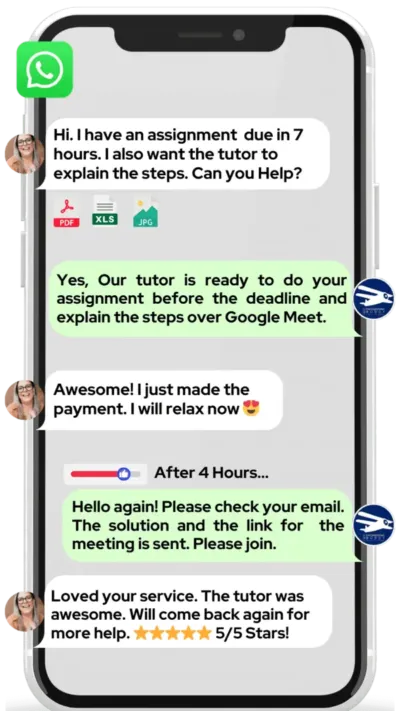
Unlike platforms where you fill out a form and wait, MEB responds in under a minute, 24/7. Tutor match takes under an hour. The $1 trial means you test before you commit. Everything runs over WhatsApp — no logins, no intake forms.
Study Plans (Pick One That Matches Your Goal)
A tutor builds your specific session sequence after the diagnostic, but most UX/UI Design students fall into one of three patterns: Catch-up (1–3 weeks) for students with a portfolio submission or critique in days who need to close specific gaps fast; Exam or project prep (4–8 weeks) for structured work through a full design project from research to handoff; or Weekly support aligned to your semester, with sessions timed to coursework milestones and assignment deadlines. The tutor confirms the sequence after session one — not before.
Pricing Guide
UX/UI Design tutoring runs $20–$40/hr for most undergraduate and bootcamp-level work. Graduate-level portfolio coaching, UX research direction, or specialist accessibility and design systems work can reach $100/hr. Rate factors include level, topic complexity, your timeline, and tutor availability.
Availability tightens significantly in the weeks before portfolio submission deadlines and semester end — book earlier than you think you need to.
For students targeting roles at product companies, UX research positions, or graduate programmes at institutions like Carnegie Mellon’s MHCI or Georgia Tech’s HCI programme, tutors with professional product design or research backgrounds are available at higher rates — share your specific goal and MEB matches the tier to your ambition.
Start with the $1 trial — 30 minutes, no registration, no commitment. WhatsApp MEB for a quick quote.
FAQ
Is UX/UI Design hard?
The visual side comes quickly for most students. The hard part is learning to justify every design decision through user research and testing. Students who struggle most are those who treat it as graphic design — it’s closer to applied psychology with a visual output.
How many sessions are needed?
Most students see clear improvement within 6–10 sessions. Portfolio-level work or full project support from research through handoff typically takes 15–25 sessions. The tutor scopes this after the diagnostic.
Can you help with homework and assignments?
MEB tutoring is guided learning — you understand the work, then submit it yourself. This applies to design briefs, usability reports, and written rationale assignments. See our Academic Integrity policy and Why MEB page for full details on what we help with and what we don’t.
Will the tutor match my exact syllabus or exam board?
Yes. Share your course outline, assignment brief, or institution’s rubric before the first session. The tutor reviews it in advance and builds the session plan around your specific requirements — not a generic UX curriculum.
What happens in the first session?
The tutor reviews your current work — wireframes, a design brief response, or a portfolio draft — and runs a short diagnostic to identify your actual gaps. The session plan is confirmed after this. No time is wasted on topics you already know.
Is online tutoring as effective as in-person?
For UX/UI Design specifically, online is often better. Tutors can annotate your Figma files directly, screen-share design tools in real time, and send marked-up feedback immediately after the session. There’s no whiteboard that beats live annotation on your actual design.
Can I get UX/UI Design help at midnight or on weekends?
Yes. MEB operates 24/7. WhatsApp a message at any hour and you’ll typically be matched with an available tutor within minutes. This matters most the night before a portfolio critique or submission deadline.
What if I don’t like my assigned tutor?
Ask for a different one. It happens. WhatsApp MEB and a replacement is arranged — usually within the hour. The $1 trial exists partly for this reason: test the match before you spend more.
Do I need to know how to code to study UX/UI Design?
No — but understanding basic HTML and CSS helps you design handoffs that developers can actually implement. MEB tutors can cover the relevant basics alongside your UX/UI work if your course requires it.
What’s the difference between UX and UI — and do tutors cover both?
UX (user experience) covers research, flows, information architecture, and usability. UI (user interface) covers visual design — colour, typography, components, and layout. Most courses and roles blend both. MEB tutors cover the full spectrum and can focus wherever your syllabus or portfolio requires.
How do I know if my portfolio is strong enough for a graduate programme or job application?
A tutor can review your portfolio against the specific criteria used by graduate admissions panels or hiring teams — case study structure, research depth, design rationale, and visual presentation. This is one of the most requested session types MEB receives for UX/UI Design.
How do I get started?
Start with the $1 trial: 30 minutes of live 1:1 tutoring or one assignment question explained in full. Three steps: WhatsApp MEB, get matched within the hour, start your trial session. No registration required.
Trust & Quality at My Engineering Buddy
Every MEB tutor goes through subject-specific screening before their first session. This includes a live demo evaluation, academic credential review, and ongoing session feedback monitoring. Tutors covering UX/UI Design hold degrees or professional experience in interaction design, product design, HCI, or a closely related field — not just general design. Rated 4.8/5 across 40,000+ verified reviews on Google.
MEB tutoring is guided learning — you understand the work, then submit it yourself. For full details on what we help with and what we don’t, read our Academic Integrity policy and Why MEB.
MEB has served 52,000+ students across the US, UK, Canada, Australia, Gulf, and Europe in 2,800+ subjects since 2008. Within Front-End Development, that includes Bootstrap tutoring, Angular help, and UX/UI Design — often for students whose coursework requires both design thinking and front-end implementation. Find out more about our approach at MEB’s tutoring methodology.
Try your first session for $1 — 30 minutes of live 1:1 tutoring or one homework question explained in full. No registration. No commitment. WhatsApp MEB now and get matched within the hour.
Explore Related Subjects
Students studying UX/UI Design often also need support in:
- Sass (Syntactically Awesome Style Sheets)
- TypeScript
- API Integration
- GraphQL
- NPM (Node Package Manager)
- REST API
- Web Hosting
Next Steps
Before your first session, have ready: your course outline or assignment brief, a wireframe or design you’ve already attempted (even a rough one), and your submission or portfolio deadline date. The tutor handles the rest.
- Share your assignment brief, hardest component, and current timeline
- Share your availability and time zone
- MEB matches you with a verified UX/UI Design tutor — usually within 24 hours
The first session starts with a diagnostic so every minute is used on the right problem.
Visit www.myengineeringbuddy.com for more on how MEB works.
At MEB, we’ve found that students who share their actual brief — not a description of it, but the document itself — get the most from their first session. The tutor can calibrate exactly to your rubric, your tool stack, and your deadline before a single word is exchanged live.
Source: MEB internal session data.
WhatsApp to get started or email [email protected].
52,000+ Happy Students From Various Universities





Reviewed by Subject Expert
This page has been carefully reviewed and validated by our subject expert to ensure accuracy and relevance.