




~1 min
Average Reply Time
~1 hour
To Be Matched With A Tutor
1 Trial
75% Find Their Tutor On The 1st Trial
$1
Your First 30 Minutes
Hire The Best Photoshop Tutor
Top Tutors, Top Grades. Without The Stress!





Related Subjects
Most students don’t struggle with Photoshop because it’s complex — they struggle because no one showed them the right workflow for their actual project.
Photoshop Tutor Online
A Photoshop tutor online helps students and professionals master Adobe Photoshop — covering layer management, photo retouching, compositing, and digital design workflows — equipping learners to produce portfolio-ready visual work independently.
If you’ve searched for a Photoshop tutor near me, you already know the gap: tutorials stop when your specific problem starts. MEB’s 1:1 online Photoshop tutoring pairs you with a verified software and design tutor who works through your exact project, tool version, and skill gaps — live, on screen. Whether you’re a design student, a developer adding visual skills, or a professional needing to produce client-ready work, MEB tutors adapt to where you are and where you need to be.
- 1:1 online sessions tailored to your project, course, or portfolio requirements
- Expert verified tutors with hands-on Photoshop and digital design experience
- Flexible scheduling across US, UK, Canada, Australia, and Gulf time zones
- Structured learning plan built after an initial diagnostic session
- Guided project support — we explain the technique, you build the final output
52,000+ students across the US, UK, Canada, Australia, and the Gulf have used MEB since 2008 — across Software Engineering subjects including Photoshop, Adobe XD, and image editing.
Source: My Engineering Buddy, 2008–2025.
How Much Does a Photoshop Tutor Cost?
Most Photoshop tutoring sessions at MEB run $20–$40/hr. Advanced or specialist work — such as complex compositing, UI design for professional portfolios, or print production workflows — may reach higher rates. Not sure what you need? Start with the $1 trial and the tutor will assess your level in the first session.
| Level / Need | Typical Rate | What’s Included |
|---|---|---|
| Standard (most levels) | $20–$35/hr | 1:1 sessions, tool walkthroughs, project guidance |
| Advanced / Specialist | $35–$70/hr | Expert tutor, niche workflows, professional-grade output |
| $1 Trial | $1 flat | 30 min live session or one project question explained in full |
Tutor availability tightens during semester submission windows and summer portfolio deadlines. Book early if your deadline is within four weeks.
WhatsApp MEB for a quick quote — average response time under 1 minute.
Who This Photoshop Tutoring Is For
This isn’t a course for complete beginners who want passive video walkthroughs. MEB Photoshop tutoring is for people with a specific output to produce and a gap standing between them and it. That gap might be technical, conceptual, or just that no one has ever shown you the correct sequence for your exact project type.
- Design students building a portfolio for university submission or internship applications
- Developers and engineers who need to produce UI mockups or visual assets alongside their code
- Students in photography, media, or communications programmes who need Photoshop skills graded as part of their course
- Students who have submitted portfolio work and received poor feedback on technical execution — and need to fix it before the next deadline
- Professionals at studios, agencies, or marketing departments who need to upskill quickly on a specific workflow
- Graduate students at institutions such as Parsons School of Design, Royal College of Art, SCAD, or NYU Tisch who need polished visual deliverables as part of their programme
At MEB, we’ve found that the biggest skill jump happens not when a student learns a new tool, but when they finally understand why a workflow is structured the way it is. Once the logic clicks, every technique that follows makes sense on its own.
1:1 Tutoring vs Self-Study vs AI vs YouTube vs Online Courses
Self-study works if you’re disciplined and your project is generic enough that tutorials match it exactly. AI tools can answer questions, but can’t watch you click the wrong layer and tell you why. YouTube is excellent for broad overviews — and completely silent when you’re stuck on your specific composition. Online courses are structured, but they move at a fixed pace and weren’t built for your project brief. 1:1 Photoshop tutoring with MEB is live, calibrated to your exact files and goals, and corrects errors in the moment — including workflow habits that would cost you marks or client approvals down the line.
Outcomes: What You’ll Be Able To Do in Photoshop
After working with an MEB Photoshop tutor, students consistently report being able to apply non-destructive editing workflows using adjustment layers and smart objects without second-guessing every step. They can solve retouching problems — skin, colour grading, object removal — with precision rather than guesswork. They can present a layered .PSD file that a client or assessor can read and follow. They can analyse a design brief and build the file structure from scratch, selecting the right resolution, colour mode, and export format for print or screen. Progress depends on starting level and how much time you put into practice between sessions, but the direction is always forward.
Based on feedback from 40,000+ sessions collected by MEB from 2022 to 2025, students working 1:1 on Photoshop consistently report faster progress than self-directed practice alone, with noticeable improvement in workflow confidence and file organisation within the first five to eight sessions.
Source: MEB session feedback data, 2022–2025.
Try your first session for $1 — 30 minutes of live 1:1 tutoring or one project question explained in full. No registration. No commitment. WhatsApp MEB now and get matched within the hour.
What We Cover in Photoshop (Syllabus / Topics)

Track 1: Core Tools and Non-Destructive Workflows
- Layer panel structure — naming conventions, groups, and layer order logic
- Smart objects and smart filters — editing without destroying original pixels
- Adjustment layers — Curves, Levels, Hue/Saturation, Color Balance
- Selection tools — Magic Wand, Quick Select, Pen tool paths, Select and Mask
- Masking — pixel masks, vector masks, clipping masks and when to use each
- Blending modes — how they interact and which to use for compositing
- Canvas setup — resolution (PPI), colour mode (RGB vs CMYK), document presets
Recommended references: Adobe Photoshop Classroom in a Book (Adobe Press), The Photoshop Workbook by Glyn Dewis.
Track 2: Photo Editing and Retouching
- RAW file processing via Camera Raw and integration with Lightroom
- Frequency separation for skin retouching without colour contamination
- Dodge and burn techniques for depth and dimension
- Object removal — Healing Brush, Clone Stamp, Content-Aware Fill
- Colour grading — split toning, gradient maps, LUTs in Photoshop
- Sharpening and noise reduction — High Pass, Smart Sharpen, Reduce Noise
- Hair and complex edge masking using Select and Mask’s Refine Edge
Recommended references: Professional Portrait Retouching Techniques for Photographers Using Photoshop by Scott Kelby, Photoshop Masking and Compositing by Katrin Eismann.
Track 3: Digital Design and Compositing for Portfolios
- Type tools — character and paragraph panels, font pairing, OpenType features
- Vector shape tools and custom path creation for UI and graphic design assets
- Photo compositing — matching light direction, colour temperature, and perspective
- Web design asset export — Save for Web, Artboards, export as PNG/SVG slices
- Print production — bleed, slug, crop marks, and CMYK output for press
- Actions and batch processing for automating repetitive edits across files
Recommended references: Photoshop CC: The Missing Manual by Lesa Snider, Design School: Photoshop by Richard Gyngell.
Platforms, Tools & Textbooks We Support
MEB Photoshop tutors work across Adobe Photoshop CC (all recent versions), Adobe Camera Raw, Adobe Bridge, and Lightroom Classic for RAW processing workflows. Sessions run over Google Meet with screen sharing so the tutor can watch your actual canvas in real time. Tutors also support related tools used alongside Photoshop in professional and academic pipelines:
- Adobe XD — for UI/UX workflows that originate in Photoshop
- GIMP — for students who need open-source alternatives covered
- Inkscape — for vector work that complements raster editing
- Blender — for 3D renders brought into Photoshop for compositing
- Wireframing tools used in design courses before Photoshop mockup production
What a Typical Photoshop Session Looks Like
The tutor opens by checking what you worked on since the last session — usually a specific technique like frequency separation or mask refinement — and asks you to walk through what clicked and what didn’t. From there, you share your screen and the tutor watches you work in real time. If you’re building a composite, the tutor will point out the exact moment your light direction breaks, or why the edge mask is leaving a halo. They use a digital pen-pad to annotate directly over your canvas — drawing attention to colour temperature mismatches, layer order problems, or selections that need tightening. You attempt the fix yourself while the tutor is present. The session closes with one concrete practice task — usually something replicable in under an hour — and the next session’s focus is agreed before you disconnect.
How MEB Tutors Help You with Photoshop (The Learning Loop)
Diagnose: In the first session, the tutor asks you to open a recent file and work through a task you find difficult. This reveals your actual habits — not what you think you do, but what you actually do. The tutor maps the gaps from there.
Explain: The tutor demonstrates the correct technique on screen using a digital pen-pad, annotating your canvas live. Every step is narrated — not just what to click, but why the tool works the way it does and what goes wrong if you don’t use it that way.
Practice: You replicate the technique immediately, on your own file, while the tutor watches. This is where most self-taught Photoshop users lose the skill — they watch a demo and think they’ve got it. They haven’t until they’ve done it themselves.
Feedback: The tutor identifies exactly where your execution diverged from the technique. Not “that looks wrong” — but “your Curves adjustment is clipping the highlights because you pulled the top anchor too far; here’s the visual indicator to watch for.”
Plan: Each session ends with a clear next-topic note and a practice task. The tutor tracks your progression across sessions so nothing is revisited unnecessarily and nothing is skipped.
Sessions run over Google Meet. The tutor uses a digital pen-pad or iPad with Apple Pencil to annotate directly over your shared screen. Before your first session, share your current project file (or describe your goal), your tool version, and any specific deadline. The first session is your diagnostic — the tutor uses it to build your session map. Whether you need a quick workflow fix before a deadline, structured skill-building over six to eight weeks, or ongoing weekly support through a design programme, the tutor sets the plan after that first diagnostic. Start with the $1 trial — 30 minutes of live tutoring that doubles as your first diagnostic.
Students consistently tell us that the moment things change isn’t when they learn a new technique — it’s when a tutor catches a bad habit they didn’t know they had. Most Photoshop frustration comes from one or two ingrained workflow errors, not from lack of talent or intelligence.
Tutor Match Criteria (How We Pick Your Tutor)
MEB doesn’t assign the nearest available person. Your tutor is matched on four things:
Subject depth: The tutor must have demonstrable Photoshop experience at your level — whether that’s academic portfolio work, professional retouching, UI design, or print production.
Tools: Every Photoshop tutor uses Google Meet with screen share and a digital pen-pad or iPad with Apple Pencil. No exceptions — annotation is non-negotiable for a visual software subject.
Time zone: Your tutor is matched to your region — US, UK, Gulf, Canada, or Australia — so scheduling doesn’t become an obstacle.
Goals: A student building a degree portfolio needs a different tutor emphasis than a developer who needs to export assets cleanly. MEB matches on your stated output, not a generic skill level.
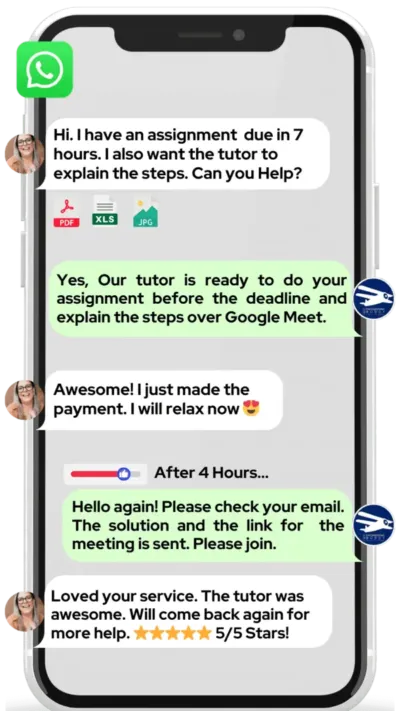
Unlike platforms where you fill out a form and wait, MEB responds in under a minute, 24/7. Tutor match takes under an hour. The $1 trial means you test before you commit. Everything runs over WhatsApp — no logins, no intake forms.
MEB has matched students with verified Photoshop and image editing tutors across the US, UK, Australia, Canada, and the Gulf — 18 years of doing this, since 2008.
Source: My Engineering Buddy, 2008–2025.
Pricing Guide
MEB Photoshop tutoring starts at $20/hr for standard sessions. Graduate-level creative programmes, professional retouching workflows, or high-spec portfolio production may reach up to $100/hr depending on tutor expertise and project complexity. Rate factors include your level, the specific workflow or output required, your timeline, and tutor availability in your region.
Availability tightens at semester end and during summer portfolio deadlines. If your submission window is within four to six weeks, book earlier rather than later.
For students targeting admission to programmes at institutions like Parsons, RCA, or SCAD — or building portfolios for competitive agency roles — tutors with professional creative industry backgrounds are available at higher rates. Share your specific goal and MEB will match the tier to your ambition.
Start with the $1 trial — 30 minutes, no registration, no commitment. WhatsApp MEB for a quick quote.
FAQ
Is Photoshop hard to learn?
The tools themselves aren’t hard — the logic behind non-destructive workflows is. Most students who struggle have built bad habits early: flattening layers, editing pixels directly, skipping masks. A tutor corrects those habits in the first session or two, and progress accelerates from there.
How many sessions will I need?
It depends entirely on your starting point and your output goal. Students fixing specific portfolio pieces often see the change in three to five sessions. Building a complete Photoshop workflow from scratch typically takes eight to twelve sessions spread over six to eight weeks.
Can you help with my design projects and portfolio work?
Yes. MEB tutoring is guided learning — the tutor explains techniques, you apply them and build the final output yourself. See our Policies page for details on what we help with and what we don’t.
Will the tutor match my exact course or programme requirements?
Yes. Before your first session, share your course outline or brief. MEB tutors who work on academic design programmes know the difference between a portfolio assessed on technical execution and one assessed on concept — and they teach accordingly.
What happens in the first session?
The tutor asks you to open a current file or describe your goal, then works through a technique with you in real time. By the end of the session, you have a clear picture of your gaps and a session plan built specifically around closing them before your deadline.
Are online Photoshop sessions as effective as in-person?
For a screen-based software like Photoshop, online is often better. Screen sharing lets the tutor see your exact canvas, layer structure, and tool settings — which an in-person tutor looking over your shoulder often can’t. The pen-pad annotation makes the feedback precise and immediate.
Can I get help at short notice — even late at night?
Yes. MEB operates 24/7 across time zones. WhatsApp MEB at any hour and you’ll typically get a response within a minute. Tutor matching for a same-day or next-day session is possible in most cases.
What if I don’t click with my assigned tutor?
Tell MEB and you’ll be rematched. The $1 trial exists precisely so you can test the fit before committing to a longer plan. No awkward conversations — just WhatsApp MEB and a different tutor will be arranged.
Do you only cover the latest version of Photoshop?
No. MEB tutors cover all recent versions of Photoshop CC, including older subscription versions where features differ. If you’re on an older version due to institutional licensing, tell the tutor upfront and the session is adapted accordingly.
What’s the difference between Photoshop and Lightroom — and do you cover both?
Lightroom is built for catalogue management and global RAW adjustments. Photoshop handles pixel-level editing, compositing, and design work. Many professional workflows use both. MEB tutors cover the Photoshop side in full, including Camera Raw and the Lightroom-to-Photoshop bridge for photo editing students.
Is Photoshop worth learning if AI image tools exist now?
AI tools generate images — Photoshop gives you control over every pixel of the result. For professional output, client work, academic portfolios, and anything that needs to meet a precise brief, Photoshop skills remain essential. AI and Photoshop are increasingly used together, not as substitutes.
How do I get started?
Three steps: WhatsApp MEB, get matched with a verified Photoshop tutor (usually within an hour), then start your $1 trial — 30 minutes of live tutoring or one full project question explained. No registration, no intake form, no wait.
Trust & Quality at My Engineering Buddy
Every MEB tutor goes through a structured screening process before their first session. This includes a subject-knowledge check, a live demo evaluation, and review of credentials — degrees, professional design or software experience, and demonstrated subject-specific depth. Tutors are reviewed after every session via student feedback, and that feedback directly affects who continues on the platform. Rated 4.8/5 across 40,000+ verified reviews on Google.
MEB provides guided learning support for Photoshop projects. All work is produced and submitted by the student. See our Policies page for details.
MEB has been running since 2008 and currently serves 52,000+ students across the US, UK, Canada, Australia, the Gulf, and Europe across 2,800+ subjects. The Software Engineering category — which includes Photoshop, web design, and Autodesk Maya — is one of MEB’s most active subject areas. Read more about how MEB tutors are selected and how sessions are structured on the tutoring methodology page.
MEB has served students in front-end development, app development, and Photoshop across 18 years — with tutors matched to your region, your tools, and your deadline.
Source: My Engineering Buddy, 2008–2025.
Our experience across thousands of sessions shows that students who share a real project file in the first session — not a practice exercise — make faster progress. Real constraints produce real learning. The tutor adapts to your file, not the other way around.
Explore Related Subjects
Students studying Photoshop often also need support in:
- Dreamweaver
- Unity Game Engine
- Unreal Engine
- Mobile App Development
- Visual Studio
- UML (Unified Modeling Language)
- WordPress
Next Steps
Getting started takes about two minutes. Here’s what to do:
- Share your current project or goal, your tool version, and your deadline or timeline
- Share your availability and time zone
- MEB matches you with a verified Photoshop tutor — usually within an hour
- Your first session begins with a diagnostic so every minute is used on the right things
Before your first session, have ready: your current project file or a brief description of your output goal, a specific technique or task you’re stuck on, and your deadline date. The tutor handles the rest.
Visit www.myengineeringbuddy.com for more on how MEB works.
WhatsApp to get started or email [email protected].
52,000+ Happy Students From Various Universities






Reviewed by Subject Expert
This page has been carefully reviewed and validated by our subject expert to ensure accuracy and relevance.